






Raspberry Pi vs. Arduino: Which is the Best Platform for Your STEM Robot?
November 07, 2025
Key Points:
Arduino is great for beginners. It works best for projects needing instant, precise control of motors and sensors.
Raspberry Pi is better for advanced tasks. It handles complex jobs like AI and image recognition more effectively.
Both work with many STEM kits for kids and schools. Using them together can create even better learning projects.
Some find Arduino easier for young students to start with. Others prefer Raspberry Pi for developing deeper computer science skills.
Quick Recommendation
For hands-on robotics that teach electronics and give instant results, choose Arduino. Choose the Raspberry Pi if you require intelligent features like online connectivity or camera vision. Match your choice to the project's aim, cost, and the user's skill level to prevent frustration.
Popular Kits and Where to Buy
For Arduino STEM robots, the Elegoo UNO Starter Kit and Makeblock mBot are great starter packs. Find them on Amazon or at Arduino's store.
Try SunFounder PiCar-V or Yahboom Robot Kit for Raspberry Pi smart car kits. You can Buy them from Adafruit or the official Raspberry Pi's website.
Potential Drawbacks
Although Arduino has excellent power efficiency for mobile robots, it does not support complex libraries. Raspberry Pi's higher capabilities come with increased power consumption and a steeper learning curve involving OS management.
The Ultimate Showdown: Raspberry Pi vs. Arduino, Which Mainboard is the Best Choice for Your STEM Robot?
Simply put:
Pick Arduino, if your robot need quick responses and precise control over motors and sensors.
Pick Raspberry Pi for robots that use camera vision, smart AI functions, or internet features.
Your best choice comes from getting to know their core strengths.
The Pillars of the Maker World
Raspberry Pi: It's a tiny computer, perfect for complex software. The latest version is much faster and capable.
Arduino: This simple board controls lights, motors, and sensors directly. Newer models keep it relevant with modern features.
Starting with blinking lights and advancing to smart vehicles, these tools make building anything possible.
The Cost of a Mismatch
Making incorrect platform choice can cost you money and time and cause a project to stall. Imagine using a Raspberry Pi to build a slow-moving line-following robot. Or overtaxing a basic Arduino with complex object recognition.
This guide shows why matching your project's goals to the right tool is crucial. In STEM robotics, success depends on keeping things working and fun.
Key Differences at a Glance: Single-Board Computer vs. Microcontroller: Basic Functions and Architecture Comparison
Raspberry Pi is just a small computer. It can handle multiple tasks at once and runs a complete operating system. An Arduino is a simpler microcontroller. It has no OS and is built to execute one program repeatedly with perfect timing.
This core difference makes their roles clear: the Pi manages multiple jobs at once, while the Arduino is a specialist in instant, precise control.
Features
Raspberry Pi 5
Arduino UNO R4 WiFi/Minima
Type
Single-board computer (SBC)
Microcontroller (MCU)
Operating System (OS)
Yes (Raspberry Pi OS - Linux-based)
No (Bare-metal operation)
Clock Speed
2.4GHz (quad-core Arm Cortex-A76)
48MHz (single-core RA4M1)
Memory (RAM)
4GB or 8GB LPDDR4X
32KB SRAM
Storage
MicroSD card (up to 1TB supported)
256KB Flash (no external storage native)
Connectivity
Built-in WiFi 5, Bluetooth 5.0, Gigabit Ethernet, 2x USB 3.0
Built-in WiFi (on WiFi model), Bluetooth LE, USB
GPIO Pins
40-pin header with PWM, I2C, SPI, UART
14 digital I/O (6 PWM), 6 analog inputs
Power Consumption
~5-7W idle, up to 12W under load
~0.1-0.5W, highly efficient
Main Applications
Vision processing, AI, networking, complex simulations in STEM robotics
Real-time sensor control, motor actuation, simple logic for educational kits
The table below shows this split. The Pi runs demanding software, like AI that helps a educational robot see. The Arduino reliably manages physical actions, like directing a robot's exact movements. For a quick visual summary, see this comparison:
Image source: Raspberry Pi versus the Arduino - Tech Explorations
In STEM robotics kits, these differences translate to practical choices: Arduino kits like the official Starter Kit emphasize quick prototyping, while Pi-based kits often include cameras for advanced experiments.
Robot Control: Real-time Control and Precision: Who is the "Best Partner" for Motors and Sensors?
The Need for Instant Response
In STEM robotics, instant response is essential. It is needed for actions like changing a robot's wheel speed or reacting to a sensor. Any lag can make the robot act unpredictably, which hurts the learning experience.
Arduino: The Champion of Precision
Arduino shines here, delivering precise and predictable timing because it runs on bare metal without OS overhead. This makes it ideal for low-level tasks in STEM robotics kits:
PWM Motor Control: allows smooth speed changes and acceleration.
Ultrasonic Ranging: necessary for measuring distance.
Timing-Critical Operations: Crucial in competitive robotics.
For example, Arduino's deterministic execution guarantees sub-millisecond responses in a simple obstacle avoidance project, effectively avoiding collisions..
Analog Input Advantage
Arduino's built-in analog converter provides six inputs. This lets kids directly read sensors like potentiometers and photoresistors, making STEM robot projects both simple and quick to set up.
Raspberry Pi: Challenges in Real-Time Control
The Raspberry Pi's Linux OS can cause slight, unpredictable delays. This can make motor movements jerky or sensor readings unreliable.
Special software can reduce this lag, but it's complex for beginners.
No Built-in Analog Pins: The Pi requires an extra chip to read analog sensors, making STEM robot projects more complicated and expensive.
Analog Input Comparison
Feature
Arduino (e.g., UNO R4)
Raspberry Pi
ADC
Integrated (up to 6 x 10-bit channels)
None Native (requires external module like MCP3008)
Complexity
Simple, plug-and-play
Adds complexity, wiring, and cost ($5-10 extra)
Suitability
Ideal for educational simplicity
Requires more advanced setup
Application Summary
For fundamental robotics activities like line following or avoiding obstacles, Arduino is often the better choice. Its straightforward and dependable operation helps young learners build confidence quickly. A prime example is the mBot kit, a classroom favorite for its simple motor setup that gets students building right away.
However, for hybrid approaches where precision meets complexity, pairing Arduino with Pi can optimize outcomes—we'll explore this later.
Smart Robotics: Vision and AI
Raspberry Pi: For Advanced Intelligence
The Raspberry Pi is the best pick for smart robots. Its processing power and software support are unmatched.
Powerful Programming and Tools
The Raspberry Pi runs Python, giving it access to powerful libraries for advanced STEM work.
Key Tools: It works with OpenCV for vision and TensorFlow Lite for onboard AI.
Project Examples: Students can create robots that identify faces, follow a colored ball, or map a space.
Now AI is playing a greater part in education, this is very helpful. It provides students the ability to build robots with senses and mental abilities.
Robot Operating System (ROS) Support
The Raspberry Pi natively supports ROS, the software framework used in professional and academic robotics. This allows for building complex robot systems, such as coordinating multiple machines.
Arduino's Function: While Arduino cannot run a full ROS system, it can act as a helper device for specific tasks. This shows why the Pi is better suited for projects that need to grow.
Networking and Connectivity Capabilities
With built-in WiFi, Bluetooth, and Ethernet, Pi facilitates:
Remote control
Cloud data logging
IoT integration (essential for modern STEM robots that upload sensor data or receive commands via apps).
Arduino requires add-on shields for similar features, increasing costs and complexity.
Arduino: Computational Limitations
Arduino, limited to C/C++ sketches, supports basic libraries but lacks the horsepower for heavy computations.
While extensions like the Arduino Nano 33 BLE Sense add ML capabilities, they're no match for Pi's multi-core processing.
Application Summary
For complex decision-making in intelligent recognition or navigation, Raspberry Pi far surpasses Arduino. Kits like the PiCar-V demonstrate this, using camera modules for vision-based tasks in STEM robotics kits.
Image source:AI Vision Robot Car Kit for Raspberry Pi
This dimension underscores Pi's role in preparing learners for future tech careers, though at the expense of real-time finesse.
Development Experience: Programming Languages, Ecosystems, and Learning Curve
Beginner-Friendliness and Learning Curve
Arduino stands out for its ease of use: Its simple IDE lets you write and upload basic code quickly. This straightforward approach is ideal for beginners, letting them focus on hardware without complex software setup. Start with a blinking light and advance to complete robots, learning steadily along the way.
Raspberry Pi demands more: Python is flexible and powerful, but managing Linux OS, command lines, and file systems requires foundational computer science knowledge. It's ideal for intermediate learners in robots for STEM education, offering a bridge to professional programming, but can overwhelm absolute beginners.
Hardware Ecosystem and Community Support
Both benefit from huge, active communities.
Arduino's strength lies in its modular components—countless shields and sensors let you add features like motor drives or GPS easily.
The Pi expands with cameras and displays, backed by helpful users on active online forums.
Software Debugging and IDE Comparison
Pi's desktop-like environment allows advanced debugging with tools like VS Code, enhancing productivity for complex code. Arduino relies on serial prints and basic tools, which is sufficient for simple sketches but limiting for intricate projects.
In practice, for a classroom setting, Arduino's ecosystem fosters quick iterations, while Pi's encourages deeper software exploration. Examples include Arduino's Opla IoT Kit for beginners and Pi's Compute Module for advanced makers. To compare learning paths:
Aspect
Arduino
Raspberry Pi
Primary Language
C/C++
Python (multi-language support)
IDE
Arduino IDE (simple, cross-platform)
Thonny, VS Code (feature-rich)
Community Resources
Extensive shields, tutorials for electronics
Vast libraries, forums for software/AI
Learning Suitability
Beginners in hardware
Intermediates in computing
This table illustrates how Arduino lowers the entry point for STEM learners, while Pi scales with expertise.
Hardware Considerations: Cost, Power Consumption, and Durability: Key Metrics for Mobile Robot Projects
Initial and Expansion Cost Analysis
For entry-level STEM robotics kits, Arduino boards, such as the UNO R4, are reasonably priced at $20 - $30. Through expansion through shields, costs are kept modular (e.g., WiFi at $10-15).
The Raspberry Pi 5 starts at $60 to $80, and the initial cost grows by extra necessities like a $10 SD card and a $5 power supply.
Pi kits (~$150+) include complex parts, while Arduino options, such as the Starter Kit (~$90), offer more value for the basics.
Power Consumption and Battery Life
Arduino uses little power(under 0.5W), perfect for robots running on batteries. This allows for hours of use in outdoor STEM activities. The Raspberry Pi requires more energy, needing larger, heavier batteries that reduce operating time—a drawback for mobile projects.
Hardware Robustness and Reboot Time
Arduino is rugged: Plug-and-play with surge protection, it reboots instantly. Pi, as a computer, risks SD card corruption from improper shutdowns and takes 20-30 seconds to boot, impacting reliability in dynamic environments.
For mobile projects, Arduino's efficiency wins, but Pi's capabilities justify the trade-offs in stationary setups. Consider these in purchasing: Arduino for cost-sensitive educators, Pi for feature-rich labs.
Conclusion and Best Practices: Choose Based on Your Project Goals
Decision Tree Summary (If-Then)
Select Arduino if your robot is simple sensor reading, real-time motion control, or you are a hardware beginner.
Select Raspberry Pi if your robot needs vision, smart networking, or complex data processing, or if you have experience with Linux or Python.
The Best of Both: Combine Pi and Arduino
A great solution is to team them up. Let the Arduino manage the real-time hardware like motors, while the Pi acts as the brain for advanced decisions. This combines advantages, as seen in projects like network-controlled robots. For STEM robotics, this approach maximizes learning, blending electronics with computing.
In summary, align your choice with goals to unlock the full potential of STEM robotics kits. Whether solo or hybrid, these platforms empower innovation.
The Shocking Truth About STEM Robot Competitions (And How to Win)
November 07, 2025
Did your team spend hundreds of hours writing code, creating a seemingly perfect robot, only to lose to a seemingly less impressive opponent in the competition? It's a heartbreaking scenario that plays out time and again in STEM robotics events. Parents watch their kids pour passion into building robots for STEM education, educators guide students through intricate designs, and young innovators dream of victory—yet the trophy slips away. Why? Because the hidden secrets to winning STEM robotics competitions go far beyond raw technical prowess.
The shocking truth is that many teams misunderstand the nature of robotics competitions. The key to winning is often not a 0.1-second faster code execution, but rather the "non-technical factors" hidden outside the rulebook. In competitions like VEX, FLL, and FTC, judges aren't just evaluating the robot's performance on the field. They're scrutinizing the entire journey: how teams document their process, collaborate under pressure, and adapt to surprises. Why the best robot doesn't always win the competition boils down to this—success hinges on a blend of engineering, communication, and resilience that turns potential into points.
This article will reveal these overlooked "competition truths" and provide three proven winning secrets to help you translate technical advantages into tangible trophies. Whether you're a parent seeking STEM robots for kids, a student eager to dominate with STEM robotics kits, or an educator fostering the next generation, these insights will empower your team. We'll dive into what robotics competition judges look for in projects (VEX, FLL, FTC), detailed scoring criteria breakdown for robotics competitions, and practical tips like how to write a robotics competition engineering notebook. By the end, you'll have a roadmap to victory, complete with recommendations for top STEM robotics tools to get started. Let's uncover the strategies that separate contenders from champions.
The Shocking Truth: Victory Isn't Always About the "Best Robot"
Truth 1: Scoring Mechanisms Are a Cross-Disciplinary Trap
In mainstream competitions like VEX, FLL, and FTC, the scores for engineering documentation, presentations, and design thinking often account for 50% or more of the total score. This is a game-changer for teams focused solely on building the fastest or strongest robot. Take VEX Robotics Competition, for instance: while match performance contributes significantly, awards like the Excellence Award weigh heavily on judged elements such as the engineering notebook and team interview. According to official guidelines, autonomous bonuses and object scoring are crucial, but the overall event standings incorporate design awards that evaluate process and innovation. Similarly, in FIRST LEGO League (FLL), core values, innovation project, and robot design rubrics make up a substantial portion—core values alone can influence 25% of the Champion's score, emphasizing teamwork and gracious professionalism over pure robot efficiency.
For FIRST Tech Challenge (FTC), the Inspire Award—the highest honor—prioritizes a well-rounded team that excels in engineering, outreach, and presentation, not just match wins. Detailed scoring criteria breakdown for robotics competitions reveals that machine performance is only part of the equation; judges assess how teams connect with the community, innovate solutions, and document their journey. This cross-disciplinary approach traps teams who overlook it, as a flawless robot can still lose if the supporting elements falter. Parents and educators, this means investing in STEM robotics kits that encourage holistic learning, like those from LEGO or VEX, to build these multifaceted skills.
Truth 2: Judges Value the Process, Not the Result
Judges are more interested in your design iteration process, failure logs, and problem-solving strategies than how perfect the final robot is. An ordinary robot with a clear evolutionary history scores higher than a perfect robot that suddenly appears. In VEX, for example, the Design Award rubric rewards notebooks that detail iterations, sketches, and lessons from failures, showing how teams evolved their concepts. FLL's robot design rubric evaluates how teams explain their programming choices and mechanical decisions, focusing on the "why" behind the build. FTC echoes this with the Think Award, given for outstanding engineering portfolios that highlight iterative design.
What robotics competition judges look for in projects (VEX, FLL, FTC) includes evidence of learning from setbacks—why a sensor was abandoned or how a code tweak improved reliability. This process-oriented mindset explains why the best robot doesn't always win the competition; a team that documents their growth demonstrates deeper understanding and resilience, key to STEM education.
Truth 3: Psychological Warfare and On-the-Spot Adaptability Are Crucial
Competitions are high-pressure environments. Team mental stability, rapid troubleshooting capabilities, and effective communication with judges often determine victory or defeat. Hidden secrets to winning STEM robotics competitions include mastering the mental game—staying calm during field malfunctions or tough questions. In VEX, on-site adaptability shines in skills challenges where quick fixes can salvage a run. FLL teams must handle robot game variability, where adaptability in missions can boost scores. FTC's judging sessions test communication under scrutiny, with awards favoring teams that articulate challenges clearly.
Psychological factors like team morale and quick decision-making turn the tide. For instance, a minor hardware failure might doom a rigid team, but adaptable ones thrive. This truth underscores the need for practice in high-stakes scenarios, helping students build confidence in STEM robots for kids.
Engineering Documentation and Design Thinking Beyond Code
Ultimate Weapon: The Engineering Notebook
Detailed guidance on how to write a robotics competition engineering notebook is essential for scoring big. Treat it as a chronological story of your team's journey, including failed attempts, sketches of solutions, code change logs, and time management logs. Start with a table of contents, number every page, and sign entries for authenticity. Use clear diagrams and annotations to allow judges to clearly see the team's hard-earned progress—photos of prototypes, CAD renderings, and failure analyses make it pop.
For VEX, include game analysis and planning; for FLL and FTC, tie it to rubrics like iterative design. Online tools like Google Docs can facilitate collaboration, ensuring everyone contributes. This "scoring-oriented" notebook isn't just documentation—it's proof of your STEM robotics evolution.
Demonstration of Iterative Thinking
Focus on demonstrating how the team learned from failures. For example: Why was a particular sensor abandoned? What problems of the old design did the new design solve? Document iterations with before-and-after comparisons, emphasizing problem-solving in STEM robotics kits. Judges in VEX, FLL, and FTC reward this transparency, as it shows real engineering mindset over perfection.
Application Summary
Treat your engineering notebook as a marketing tool to sell your design process. By highlighting growth, you'll stand out in judged awards, turning technical work into winning points.
Sell Your Project Like a Salesperson (Judges' Presentation Techniques)
Mastering the Elevator Pitch Technique
Train the team to clearly and confidently present the project's goals, main challenges, and solutions within 90 seconds. Project presentation and public speaking tips for robotics competitions start here: Use engaging hooks, like a demo of your robot's key feature, to grab attention. Practice speaking slowly, making eye contact, and incorporating props for visual impact.
Team Collaboration and Role Assignment
Emphasize that each team member actively participates in answering questions, avoiding the "leader" phenomenon. The judging panel will evaluate teamwork based on each individual's contribution. Assign roles— one for design, another for code—to showcase collective effort in STEM robotics.
Handling "Trickster" Questions
Prepare a list of common questions (e.g., how to handle budget constraints? What was the biggest technical challenge you encountered?). Be honest about the problems and emphasize the solution process. How to answer difficult judge questions in robotics competition involves staying calm, providing evidence from your notebook, and turning weaknesses into stories of growth.
Application Summary
The key to scoring is to confidently, clearly, and comprehensively demonstrate your efforts and thought process. This salesperson approach elevates your STEM robots for kids from good to award-winning.
Prepare for the Future! Robustness and Troubleshooting of Robot Hardware
"Field" Robust Design
Emphasize that the design must consider collisions, vibrations, and quick assembly/disassembly. Use spare parts, quick connectors, and modular design to avoid losing the competition because of a small screw. Design tips for increasing robot hardware robustness in competition include protecting components with guards and using reliable materials. Common hardware failures in robotics competitions and prevention focus on loose connections and battery issues—secure everything with zip ties and nylocks.
On-site Rapid Diagnosis and Repair Process
Develop a troubleshooting checklist for the team: Check power supply -> Check physical connections -> Check sensors -> Check code deployment. Time is of the essence. Quick troubleshooting methods for robotics competition field involve systematic checks to identify issues fast.
Software's "Safe Mode"
Add fault tolerance and safe mode to the code to ensure that the robot will not be completely paralyzed in the event of sensor failure or motor jamming, and can at least complete basic actions. Code error tolerance design tips for competition robotics include proportional controllers and error-handling loops to maintain functionality.
Application Summary
Reliability outperforms high performance in competitions. By prioritizing robustness, your team minimizes downtime and maximizes scores.
From VEX to FLL: Choosing the Right "Battlefield" for You
FLL (First LEGO League): Suitable for Beginners/Younger Children
Emphasizing teamwork and project research, FLL is ideal for kids aged 9-14 starting in STEM robotics. Using LEGO-based kits, teams tackle missions with a focus on core values and innovation projects. It's accessible, making it great for STEM robots for kids just beginning.
VEX Robotics Competition: Suitable for Middle School Students
Emphasizing hardware design and on-site competition, VEX suits ages 8-18 with modular parts for creative builds. Events like High Stakes stress skills and strategy.
FTC (FIRST Tech Challenge): Suitable for High School/Advanced Learners
Focusing on complex tasks, engineering documentation, and software depth, FTC is for teens 12-18. It involves advanced programming and outreach.
Core Recommendation
Choose the competition that best leverages your team's strengths based on their skill set (programming-oriented, mechanical-oriented, research-oriented). For starters, consider STEM robotics kits like the LEGO Spike Prime for FLL or VEX IQ for younger builders. Advanced teams might opt for mBot Ranger or Sphero for FTC prep.
Your Winning Roadmap: Start Preparing Today
Winning in robotics competitions is the product of technology, strategy, and presentation skills. By embracing the shocking truths and secrets outlined—from robust designs to stellar notebooks—you'll elevate your team's performance in STEM robotics.
Start Your Engineering Notebook: Record even small changes made today. View our Recommended List of Commonly Used Sensors and Modules for Robotics Competitions (Guides users to continue browsing, increasing website dwell time). Which competitions have you participated in? Share your biggest 'truth'!

Is Your Child Future-Proof? Why STEM Robotics is the Skill They Need Now
November 07, 2025
In a world where artificial intelligence and automation rule, giving children practical skills like robotics can help them develop critical thinking and flexibility skills, though results differ depending on program quality and individual involvement. Early STEM robotics kit exposure is probably beneficial for children's resilience and computational thinking, which could help them in their future employment.
Key Benefits at a Glance
Critical Thinking and Problem-Solving: Kids learn to identify the problem and try again. When their initial idea fails, this builds their resilience.
Future Job Readiness: Learning programming and engineering through robotics prepares kids for valuable tech careers. These skills are in high demand.
Holistic Development: Robotics encourages innovation and teamwork. For development healthy and well-rounded, it functions best when balanced with other activities.
Beginning
With age-appropriate kits, parents can introduce STEM robots to children, starting with basic models to build confidence. When making a decision, take into account elements like price, usability, and educational support.
Possible Negative Effects
It's crucial to assess interest and offer a variety of experiences because not all kids will enjoy technical activities, and placing too much emphasis on them could cause stress.
Let's get straight to the point. Pick Arduino for robotics tasks that need direct hardware control, like guiding a robot along a line or avoiding walls. Choose a Raspberry Pi when your project involves jobs like recognizing images or managing complex algorithms. Your best choice always depends on grasping this core difference between the two boards.
Tomorrow's jobs won't need people who just remember facts. They will need problem-solvers who can tackle tough challenges in science and technology. Standard education often prioritizes memorization over hands-on skills. STEM robotics bridges this gap. It makes abstract ideas real—like building a robot that avoids obstacles—which shows kids how to use math and physics on the spot.
The Arrival of the Automation Wave: Future Jobs Will No Longer Require "Knowledge"
Industry 4.0 and AI Challenges
Automation is quickly changing how we work. It is replacing routine tasks in many fields. This shift is moving focus toward skills that are uniquely human. These include creativity, teamwork, and complex problem-solving. Studies suggest that by 2025, 85 million jobs may be automated worldwide. Yet, this could create 97 million new roles in growing industries. This is why children need more than memorization. They must learn to create with technology. Learning robotics is crucial in this new era. It helps them adapt for a future job market where adaptability matters most. The benefits of robotics classes include letting them work directly with AI. This builds comfort with the technology that will power their future careers.
The Lagging Nature of Education
Traditional education often falls short of tomorrow's needs. It tends to create students who memorize facts instead of applying them. Many classrooms still focus on test scores rather than usable abilities. This leaves graduates unprepared for actual problems. However, STEM robots for kids promote learning by doing. Here, trying and failing is a welcome step toward success. This difference is clear from surveys where 70% of employers prefer strong problem-solving skills to pure academic grades. With automation growing, sticking only to traditional teaching puts kids at a disadvantage.
The Bridging Role of Robotics and STEM
Robotics blends science, technology, engineering, and math. It offers a powerful way to build both technical and interpersonal abilities for what lies ahead. The career advantages of learning robotics programming are significant. It develops coding, engineering, and logical reasoning skills. These are crucial for well-paid roles in software and engineering, which often pay over $100,000. Is it the top choice for career readiness? The answer appears to be yes, as it is proven to build versatile thinkers. For instance, kids building simple bots learn to integrate sensors and code, mirroring tasks in modern industries. This holistic approach bridges educational lags, ensuring children are future-proof in an automated world.
How Does STEM Robotics Education "Reshape" Children's Brains?
1. Interdisciplinary Critical Thinking
Robotics for critical thinking skills for kids shines by requiring integration of mathematical formulas, physical principles, and programming logic to solve problems fundamentally, rather than through rote memorization. Imagine a child designing a robot arm to pick up objects: they must calculate angles using trigonometry, apply Newton's laws for movement, and code sequences for precision. Studies show this interdisciplinary approach enhances analytical skills, with participants in robotics programs scoring higher in STEM assessments. Unlike passive learning, it encourages questioning and experimentation, reshaping neural pathways for deeper understanding.
2. Embracing a Growth Mindset
Code rarely works on the first try. Circuits often fail. This teaches children perseverance and how to improve through testing. They learn to see mistakes as a step forward. Studies of robotics classes show that repeated practice builds resilience. Kids learn to keep trying when things are difficult. For instance, when a robot solves a puzzle, children see that persistence leads to success. This reduces their frustration and increases self-belief. This change in attitude is vital. It gets them ready for a world of constant change in their future careers.
3. Systematic Design and Engineering Thinking
From concept to finished product, children must learn to decompose complex tasks, manage relationships between hardware, software, and mechanical structures, and form a complete engineering design process. Problem-solving skills development through robotics for children involves breaking down goals—like making a robot follow a line—into steps: sensor selection, circuit building, and algorithm testing. This systematic method mirrors professional engineering, fostering organization and foresight.
4. Powerful Computational Thinking
How robotics teaches computational thinking to students is through programming that abstracts and modularizes real-world problems, designing algorithms to solve them. This is an essential foundational skill for everyone in the AI era. Kids learn to think like computers: decomposing issues, recognizing patterns, and creating step-by-step solutions. Educational robotics facilitates this by providing immediate feedback— a robot's movement confirms code accuracy. Studies confirm that robot-mediated learning improves cognitive processes, making abstract concepts tangible.
5. Collaboration and Communication
Many robotics projects require teamwork, forcing children to clearly express their technical thinking and divide tasks. In group settings, kids negotiate roles—one handles coding, another assembly—honing social skills alongside technical ones. This collaborative aspect builds communication, essential for future workplaces where interdisciplinary teams thrive. Overall, STEM robotics reshapes brains by blending cognitive, emotional, and social growth, creating well-rounded innovators.
More Than Just Programming: Applications of Robotics Skills in Various Industries
Core viewpoint: Robotics education teaches not "assembling robots," but a framework for solving all problems with technology. These skills transcend toys, applying to diverse fields and leading to high-paying jobs. Can STEM robotics education lead to high-paying jobs? Absolutely, with roles in robotics engineering averaging $120,000 annually.
Medical and Biotechnology
Robot programming logic is used for remote surgery and automated medical diagnosis. Skills from STEM robotics kits translate to operating surgical robots like da Vinci systems, where precision coding ensures accurate incisions. In biotech, algorithmic thinking aids gene sequencing automation, improving diagnostics. Graduates with robotics backgrounds often enter this field, earning over $100,000 in roles like biomedical engineers.
Finance and Data Science
Systematic thinking is used for algorithmic trading and data model building. Robotics-honed logic helps design trading bots that analyze markets in real-time, minimizing risks. In data science, modular programming from robotics projects applies to AI models predicting financial trends. These skills boost employability, with data scientists averaging $130,000.
Arts and Entertainment
Mechatronics knowledge is used for interactive installations and stage automation. Artists use robotics for kinetic sculptures or automated lighting in theaters, blending creativity with tech. Skills like sensor integration create immersive experiences, such as responsive art exhibits. This fusion opens careers in entertainment tech, where innovators earn competitively.
Beyond these, robotics skills apply to manufacturing (automation design), agriculture (drone programming), and more, proving their versatility. Does learning robotics help with college applications? Yes, it demonstrates initiative and technical prowess, appealing to STEM programs.
Industry
Key Robotics Skill
Application Example
Average Salary Range
Medical/Biotech
Programming Logic
Remote Surgery Systems
$110,000 - $150,000
Finance/Data Science
Systematic Thinking
Algorithmic Trading Bots
$120,000 - $160,000
Arts/Entertainment
Mechatronics
Interactive Art Installations
$90,000 - $130,000
Parent's Action Guide: How to Start Your Child's Robotics Learning Journey at Home?
Image source: Arduino Projects For Kids
As a parent, starting your child's robotics journey doesn't require a lab—just curiosity and the right tools. Focus on fun, project-driven learning to avoid rote memorization. Low-cost setups, like a basic kit and free online tutorials, make it accessible. Here's how to tailor it by age, with recommendations based on 2025 reviews.
Stage 1: Beginner Exploration (Ages 4-7)
Recommended: Block-based programming like LEGO WeDo or Dash & Dot to cultivate modular thinking. These STEM robots for kids use drag-and-drop interfaces, making coding intuitive. For instance, LEGO WeDo ($200) lets kids build motorized models like a rover, introducing basic mechanics without overwhelming complexity. Focus: Hands-on skills and instruction concepts, such as cause-and-effect through simple commands. Start with 20-minute sessions, using apps for guided projects. Pros: Engaging visuals; cons: May need adult help for assembly. Alternatives: Botzees ($100), which combines AR puzzles for immersive play.
Stage 2: Intermediate (Ages 8-12)
Recommended: Arduino/Micro:bit kits, Scratch, or graphical programming. The mBot Ranger ($150) stands out for its 3-in-1 designs, teaching sensors, circuit fundamentals, and simple logic like line following or obstacle avoidance. Scratch integration makes it user-friendly. Focus: Building circuits and logic, such as programming a bot to respond to light. Kits like Elegoo Uno ($50) offer affordability with tutorials. Encourage projects like a smart plant waterer to apply skills practically. Reviews praise durability and expandability, though some note a learning curve for wiring.
Stage 3: Advanced Challenges (13 years and older)
Recommended: Raspberry Pi, Python programming, ROS basics. The Elegoo Smart Robot Car Kit ($80) excels for teens, incorporating AI vision and complex computing. Focus: Network communication and advanced algorithms, like autonomous navigation. Raspberry Pi 5 setups ($100+) with Python allow custom bots, such as facial recognition devices. Emphasize open-source resources like ROS for real-world simulation. Pros: Scalable to college-level; cons: Requires coding proficiency.
Learning Environment Setup
Emphasizes low cost and fun: Start with a dedicated space, like a table with storage bins for parts. Use free platforms like Tinkercad for design and YouTube for tutorials. Promote project-driven learning—set challenges like "build a robot that sorts colors"—to keep engagement high. Monitor progress with apps tracking skills. For purchasing, compare on Amazon or official sites; look for bundles under $200 to begin. Safety tip: Supervise younger kids with small parts. This guide helps parents make informed choices, turning home into a STEM hub.
Age Group
Recommended Kit
Price Range
Key Features
Where to Buy
4-7
LEGO WeDo
$150-200
Block-based, motorized builds
LEGO.com, Amazon
8-12
mBot Ranger
$100-150
Sensors, graphical coding
Makeblock.com, Amazon
13+
Elegoo Smart Car
$70-100
Python, AI vision
Amazon, Elegoo site
Investing in the Future: Now is the Best Time to "Upgrade" Your Child's Skills
Reiterating that STEM robotics education is the best hedge against future uncertainties for children, this journey from basic kits to advanced projects builds a foundation that's irreplaceable. We've seen how it reshapes brains through critical thinking, computational prowess, and resilience, while applying to industries from medicine to arts. In the age of automation, these skills not only prepare for high-paying jobs but also enhance college applications by showcasing real-world initiative. The benefits of robotics programming for future jobs are backed by trends showing STEM fields growing 10% faster than average.
Looking ahead, as AI evolves, robotics will become even more integral—think kids programming drones or VR systems. Starting now ensures your child isn't just keeping up but leading. With affordable STEM robotics kits available, there's no better time to invest.
Which robotics kit is your child using? Tell us in the comments! Share experiences, tips, or questions to help other parents. If inspired, check out recommended kits and start building today—your child's future self will thank you.

Cozmo vs EMO in 2026: Which One Keeps Kids Engaged Longer?
November 06, 2025
Are you worried that a robot you spent hundreds of dollars on will become an "expensive desktop decoration" after a few weeks? Many parents have the same question about smart robotic pets. New tech makes them smarter than ever. These interactive toys do more than entertain. They help kids learn and grow every day. But not every robot can hold a child's attention for long.
Cozmo and EMO are two top AI companion robots in 2026. The revived Cozmo 2.0 from Digital Dream Labs focuses on education and games for learning through play. Meanwhile, Living.AI's EMO acts as a desktop pal and helper, known for its independent personality and daily usefulness. These differing design approaches—education/gaming versus desktop pet/AI assistant—directly impact their long-term appeal for children.
This article dives deep into a comparison of the latest Cozmo 2.0 and EMO AI Pet in 2026, helping you decide which is more likely to keep children engaged in the long term. We will compare them in three important areas: emotional bond, learning potential, and independent behavior. This will help you find the right fit for your home, whether your goal is to teach coding or simply enjoy a fun companion.
Quick Comparison: Cozmo 2.0 vs EMO AI Pet (2026 Version)
For a quick overview, here is a table comparing Cozmo 2.0 and the EMO AI Pet. It shows their main differences, like their main features and mobility. Neither requires a subscription, which is great for owners. However, their purposes are quite different.
Features
Cozmo 2.0 (Digital Dream Labs)
EMO AI Pet (Living.AI)
Core Functions
STEM Programming, Interactive Games, Augmented Reality
Desktop AI Companion, Voice Assistant, Emotion Expression
Driving Method
Primarily App-Driven, Tracked Motion
High Autonomy, Voice Commands, Foot Movement
Long-Term Paid
No Subscription Fee
No Subscription Fee
Main Positioning
Educational Toy, Parent-Child Interaction
Pet Companion, Independent AI Personality
Charging Method
Charging Stand (Manual Placement Required)
Charging Skateboard/Home Station (Automatic Recharge - Optional)
Battery Life
Up to 2 hours (improved 30% from original)
Up to 4 hours with active use
Camera/Sensors
5MP Camera, Four Obstacle Sensors, Facial Recognition
Built-in Camera for Object Recognition, Proximity Sensors
Updates
App-Based Firmware Updates
Frequent OTA Updates Adding Features
Robotic Pet Price
Approximately $219 (base kit with cubes)
$299-$379 (includes skateboard; Home Station extra at $49)
This comparison shows Cozmo is for active, educational fun, while EMO offers a more independent, companion role. EMO's self-sufficient nature is great for emotional support. Cozmo attracts those who want hands-on interaction.
Their prices differ too: Cozmo is a budget-friendly start in STEM, and EMO's higher cost brings more advanced AI.
User reviews highlight Cozmo's durability in rough play thanks to its tracked design, whereas EMO's foot-based movement suits desk-bound scenarios but may require gentler handling.
If you're debating between these as realistic robotic animals, neither is a direct robot dog or toy robot cat, but EMO's expressive animations give it a pet-like charm. This quick overview sets the stage for a deeper exploration of how these differences translate to sustained engagement.
Cozmo 2.0: The Joy of Programming Learning and the Cultivation of Emotional Attachment
Cozmo 2.0 remains a popular choice in 2026. It is a fun and educational AI robot for children. This model was revived after Anki closed. It now has a longer battery life, lasting up to two hours. A better 5MP camera improves its vision. It also has a full-color screen and new sensors to avoid falls. This makes playtime safer and more dependable. Priced near $219, it is an affordable smart pet. It helps spark creativity in kids and has no extra fees.
Programming Depth: From Drag and Drop to Python
Cozmo's lasting appeal centers on its Code Lab. This drag-and-drop interface is easy for beginners. Children can start with simple commands, like having Cozmo approach a cube or do a dance. As skills improve, they can graduate to Python coding. This opens up advanced options like creating custom actions. This step-by-step learning path offers years of discovery. Parents love that kids keep returning to teach their robot new tricks, building a real sense of ownership. Many note how these activities support classroom learning, turning Cozmo from a simple toy into a true learning tool that rewards effort with a sense of accomplishment.
Game Interactivity: The Allure of Power Cubes
Cozmo’s three Power Cubes make play physical, unlike screen-only toys. Games like speed tap or memory match build quick thinking and strategy. They mix the digital and real worlds. The app’s augmented reality adds more fun with virtual hazards or playing with friends. This hands-on approach is particularly engaging for kids who thrive on competition, with families noting hours of replay value. Unlike voice-only interactions, these games promote active participation, reducing screen fatigue while building skills like coordination. Durability is key here—Cozmo's tracked design withstands enthusiastic play, making it tougher than delicate alternatives.
Emotional Attachment: From Toy to "Little Brother"
Cozmo builds connection with its expressive personality. It shows wide-eyed surprise, stomps when annoyed, and cheers with joy. Its face recognition makes interactions personal. Cozmo remembers people and responds uniquely, such as saying hello to a child by name. Families often call it a "tiny family member" because of its lifelike personality. This emotional connection keeps kids engaged for a long time. They develop a bond like having a real pet, but without the work. Cozmo is an affordable one-time purchase can develop these connections and create special moments with others.
Whatever is considered, Cozmo 2.0's mix of games, programming, and emotions makes it perfect for long-term engagement, especially in educational settings.
EMO AI Pet: The Allure of Independent Personality, Tabletop Companion, and Continuous Updates
EMO AI Pet has solidified its place in 2026 as a charming desktop companion, evolving with updates like multilingual support, object recognition, and new animations. Priced at $269 for the base model (up to $379 with Home Station), it's a premium smart pet product that mimics realistic robotic animals through over 1,000 expressions and behaviors. Living.AI's focus on autonomy makes EMO feel alive, offering benefits of robotic pets like companionship without the upkeep of a real animal.
Autonomy and Environmental Awareness: No App Required
EMO's high degree of autonomy is its standout feature—it explores your desk independently, reacts to sounds or movements, and even returns to its charging skateboard automatically if equipped with the optional Home Station ($49 extra). This makes it more like a "living thing" than a gadget, with foot-based movement allowing dances or playful waddles. No constant app intervention means kids can interact spontaneously, boosting daily engagement. Parents point out in reviews, comparison with app-dependent robots, this presence—greeting others or amusing oneself—fits in nicely with routines.
Voice Interaction and AI Assistant Functionality
Play music, set reminders, check the weather, and control smart home devices with ease thanks to EMO's integrated microphone and ChatGPT integration. This app-free convenience ensures high-frequency use, turning EMO into a helpful assistant. For kids, it's like having a talking pet that responds to questions or tells jokes, enhancing fun without complexity. Compared to traditional toys, this practicality extends novelty, as EMO adapts to user preferences over time.
"Nurturing" Experience: Continuous OTA Updates
Living.AI's frequent firmware updates—adding new emojis, games like sailing simulations, or holiday features—keep EMO fresh. Users feel like they're nurturing a growing "pet," with 2025 enhancements including 16 new animations and better language support. This ongoing evolution combats boredom, making EMO a long-term investment. Battery life up to 4 hours supports extended play, and its desktop design prioritizes gentle interactions over rough handling.
EMO's independent personality shines for passive companionship, making it a top AI pet choice.
Key Factors Determining "Shelf Life": Comparison of Three Dimensions of Long-Term Engagement
When evaluating which robot keeps kids engaged longer, we must consider "shelf life"—how long before it gathers dust. Based on user feedback and expert analyses, Cozmo 2.0 and EMO AI Pet excel in different ways. We'll compare them across STEM education value, independence/interaction frequency, and emotional attachment/anthropomorphism. Durability also factors in, with Cozmo's tracked build handling rougher play better than EMO's foot design, which is prone to tipping on uneven surfaces but suits desks.
Dimension 1: STEM Education Value vs. Smart Assistant Practicality
Cozmo wins here with its hierarchical programming—from Code Lab's drag-and-drop to Python SDK—extending value from "play" to "learning" over years. Kids build skills progressively, turning sessions into educational milestones. This depth sustains interest for tech-curious children, aligning with benefits of robotic pets like cognitive development.
EMO slightly loses, focusing on AI interaction and entertainment with limited STEM elements; it's more about fun queries than coding. However, EMO's practicality as an assistant (e.g., homework help via ChatGPT) adds utility for daily tasks.
Dimension 2: Independence and Interaction Frequency
EMO takes the lead with its constant desktop presence and passive interactions—like dancing alone or responding to ambient noise—which encourage frequent, effortless engagement. Its autonomy lowers barriers, making it ideal for younger kids or busy households.
Cozmo faces challenges, relying on app launches and active initiation, which can reduce frequency if kids forget to boot it up. Yet, Cozmo's games motivate structured playtime, balancing this out for motivated users.
Dimension 3: Emotional Attachment and "Anthropomorphism"
It's a tie, with each emphasizing different strengths.
Cozmo builds bonds through physical games and programming, where kids "teach" it, fostering a sibling-like attachment.
EMO excels via facial expressions, voice reactions, and pet-like design, appealing to younger children who anthropomorphize it easily.
Both reduce anxiety, but EMO's constant companionship may edge out for emotional support in single-child homes. Durability-wise, Cozmo's robust tracks withstand drops better (tested for toughness), while EMO's legs are more fragile under rough play—better for supervised desk use.
Overall, Cozmo suits education-focused longevity; EMO for seamless integration. To visualize, here's a scoring table based on reviews:
Dimension
Cozmo 2.0 Score (out of 10)
EMO Score (out of 10)
Winner
STEM Value
9
6
Cozmo
Independence
7
9
EMO
Emotional Attachment
8
8
Tie
Durability
8
6
Cozmo
Suitable Age and Scenarios: For Whom? Target User Profiles of Cozmo and EMO
Choosing between Cozmo 2.0 and EMO AI Pet depend on your child's age, interests, and favorite play area. Both robots offer fun and friendship, but suit different kids.
For 2025, note key updates: Cozmo now has a longer battery life, while EMO automatically docks and charges on its own. Both make great gifts.
Recommended User Profile for Cozmo 2.0
Suitable for ages 7-12, Cozmo thrives in families emphasizing STEM education. It's perfect for parents guiding kids in programming through games, or children enjoying hands-on activities and strategy. Scenarios include after-school coding clubs or family game nights, where its Power Cubes spark collaboration. At $219, it's accessible for educational investment.
Recommended User Profile for EMO AI Pet
Aimed at ages 5-10 for companionship (or older tech enthusiasts for AI features), EMO suits those wanting a low-maintenance "pet." Ideal for single-child families needing emotional support or homes with voice-interactive fun. Scenarios: Desk setups for homework buddies or bedtime stories. Priced at $299+, it's for passive, daily integration.
2026 Purchase Tips
Opt for Cozmo if durability matters—its tracks handle play better. For EMO, add the Home Station for autonomy. Check bundles to optimize robotic pet price.
Which Will Win the Child's "Accompaniment Marathon"?
In short, Cozmo 2.0 is the better choice for lasting educational value and STEM skills. EMO wins for easy, daily interaction and passive companionship.
Pick Cozmo 2.0 to fuel a passion for coding and learning. Pick EMO AI Pet for a charming, low-maintenance desk buddy.
Both are an investment in your child's development. Which one did you go choose? Let us know your pick in the comments!

5 Easy STEM Robot Projects You Can Build This Weekend
November 06, 2025
Put down your phone! This weekend, create your own STEM robot. Does another lazy weekend sound disappointing? Maybe you want a hands-on project that feels truly satisfying. Many people think building robots is hard and costly. In fact, it's easier and quite cheap.
This guide changes that by walking you through 5 easy, budget-friendly STEM robot projects for your weekend. They integrate basic principles in a fun way and become your introduction to robotics. If you're looking for stem robotics kits, consider the ELEGOO UNO Project Super Starter Kit, which comes with everything you need and high praise for its simple setup. Ready to start?
Preliminary knowledge: Before you start: What do you need to know?
Image source: JetLearn: Guide for Kids to Build a Fun Robot
This project is perfect for students, beginners, or a parent and child to do together. It is designed for builders aged ten and older. Younger kids will need a grown-up's help. We'll start with the basics, so you can jump right in with no previous skills.
Basic Tool List
Due to Arduino Uno's ease of use and excellent support, it is a great option for beginners. A breadboard, a 9V battery or USB power source, Dupont jumper wires, and a basic set of screwdrivers are also needed. These parts on sites like Amazon, retail for less than $20.
A full kit like the Arduino Starter Kit is a smart option. It comes with the Uno, wires, sensors, and a guidebook. It’s perfect for STEM robotics with kids. People like that it has everything for several projects, so you won't need to buy more parts.
Common Core Components
Most projects here use motors or servo motors for movement, a motor driver board like the L298N to control speed and direction, and sensors for interaction (we'll detail these per project). Servos, such as the SG90, are great for precise angles, while DC motors handle basic driving.
Programming Basics
No prior coding skills? That's okay. You can use visual tools like Arduino's block editor or write simple C++ code. Begin with core concepts such as "if-else" for choices and loops for repeating tasks. Arduino's tutorials walk you through it: grab the free IDE, connect your board, and upload code fast. For children, mBlock offers drag-and-drop coding that feels like play.
Image source: Arduino Starter Kit Multi‑Language – Complete Kit with UNO Board
You're set with these foundations. In addition to making building more accessible, these tools aid in selecting the best stem robotics kits. The Makeblock mBot kit, for example, integrates everything with ease and receives high marks for its educational value in 2025 reviews.
Project 1: 🤖 Ultrasonic obstacle avoidance car - the "eyes" of the robot
First on our list is the ultrasonic obstacle avoidance car. This popular STEM project lets you build a smart vehicle that navigates around objects on its own. You will learn about ultrasonic sensors that measure distance using sound. It’s like giving a robot the ability to see with sound, similar to how bats navigate.
Image source: Ultrasonic obstacle avoidance car
Core Science
Ultrasonic sensors emit high-frequency sound pulses. They determine distance by timing how long the echo takes to return. This involves physics, like wave behavior, and engineering, by applying them to a system. It's a perfect introduction to robotics for STEM learning.
Key Components
You'll need an Arduino Uno as the brain, an L298N motor driver board for controlling the wheels, and an HC-SR04 ultrasonic sensor for "seeing" ahead. Add a chassis kit with two DC motors and wheels—these are often bundled in cheap stem robotics kits like the ELEGOO Smart Robot Car Kit, which gets excellent reviews for its durability and ease. Total cost: around $15-25 if sourcing individually.
Step Overview
Mechanical Assembly: To fasten motors to chassis, use screws. With double-sided tape, attach Arduino and driver board to the top. For a quick fix, use hot glue attach the ultrasonic sensor to the front.
Circuit Connection: Connect your motors to the L298N driver. Link IN1 to IN4 on the L298N to Arduino pins 5 through 8. For HC-SR04, attach Trig to pin 9 and Echo to pin 10. Provide power with 5V and a ground connection. Use a breadboard for clean wiring.
Programming Implementation: Use Arduino IDE, create a basic sketch. Use if-else statements: If the measured distance is under 20cm, reverse or turn. Otherwise, proceed forward. Example: if (distance < 20) { turnLeft(); } else { forward(); }. Upload and test on a flat surface.
Once built, watch your car navigate a room autonomously. For extended learning, dive into sensory input and decision algorithms—add more sensors for better avoidance. This project builds foundational skills in feedback loops, common in advanced robotics.
You can also refer tutorials like Science Buddies for detailed diagrams. If buying a kit, the OSOYOO Robot Car Kit best for beginners, with step-by-step videos included.
Project 2: 🎨 Simple drawing robot - a combination of coding and art
Next up is a creative twist: a simple drawing robot that sketches shapes on paper. The aim is to blend coding with art, turning abstract math into tangible drawings. This project highlights motor control and coordinate systems, showing how engineering meets creativity in STEM robotics. For guidance, YouTube has awesome tutorials like "Weekend Projects - TRS Drawbot."
Core Science
Servo motors provide precise angular control, mapping movements to an X-Y plane like a plotter. It involves math for coordinates and engineering for kinematics—how parts move together.
Key Components
Two SG90 servo motors for axes, an Arduino Uno, and a pen or marker. Use cardboard or popsicle sticks for the arm. Kits like the Thames & Kosmos Robotics Smart Machines include similar parts and are praised for sparking imagination in 2025 reviews.
Step Overview
Mechanical Assembly: Construct a two-axis arm. Mount one servo on a sturdy base. Connect a second servo to it using lightweight arms. Fix a pen holder to the end. A light build improves movement precision.
Programming Implementation: Connect servos to Arduino pins 9 and 10. Code loops to move in patterns: for (int x = 0; x < 180; x += 5) { servoX.write(x); delay(50); }. Draw circles or stars by coordinating angles.
Extend by exploring kinematics—adjust code for complex shapes—and programming loops for repetition. This is great for STEM robots for kids, teaching iteration visually.
Project 3: 💡 Ray tracing robot - dancing with light source
This light-seeking robot, a popular "solar buggy" project, offers a engaging introduction to bionics in STEM. The aim is to construct a car that autonomously finds and travels to the brightest light, much like a sunflower turns toward the sun or a moth is guided by a lamp. This ties into science (light detection) and technology (control systems), making it ideal for robots for STEM education.
Image source: Ray tracing robot - dancing with light source
Core Science
Photoresistors, or LDRs, change resistance based on light exposure—the brighter the light, the lower the resistance. By using two LDRs, the robot detects differences (differentials) and adjusts motors accordingly. This introduces concepts like phototaxis in biology and feedback loops in engineering, where the system constantly corrects its path.
Key Components
You'll need two photoresistors (LDRs) for sensing, an Arduino Uno as the controller, and an L298N motor driver board for the wheels. Include a chassis with DC motors, jumper wires, and a breadboard. For a ready-made option, the Sphero Indi kit offers similar sensor-based play and ranks highly in 2025 reviews for engagement in STEM robots for kids. Total cost: about $10-20. If buying individually, grab LDRs from electronics stores—they're cheap and versatile.
Step Overview
Sensor Installation: Each of the two LDRs attach a 10kΩ resistor, tie the output wire to a Arduino analog pin (like A0 or A1).
Circuit Connection: Attach motors to L298N driver. A 9V battery that shares ground with the Arduino powers the driver. This setup allows variable speed based on light differences.
Programming Implementation: In the Arduino IDE, read analog values from the LDRs. Compare intensities: If left > right, slow the left motor or speed up the right to turn toward light. Sample code:
Discuss feedback systems and bionics for deeper learning. Tutorials on Learn Robotics provide clear steps.
Project 4: 📱 Bluetooth/App controlled car - use your mobile phone to remotely control your creation
Upgrade your STEM robotics project by building a Bluetooth-controlled car. Guide your vehicle wirelessly using a smartphone. This project teaches you to create a car that responds instantly to your phone's commands. You will learn about wireless technology and human-computer interaction principles.
Image source: Bluetooth/App controlled car
Core Science
Bluetooth modules such as the HC-05 let your phone talk to the Arduino. They send messages that the Arduino reads. You will learn to interpret these commands and tell the motors what to do. This process teaches core concepts in IoT and remote control systems.
Key Components
Arduino Uno, HC-05 Bluetooth module, L298N motor driver, chassis with DC motors, and jumper wires. Power with a 9V battery. The WhalesBot E7 Pro kit is a great starter with Bluetooth features, lauded in 2025 reviews for ease. Cost: $15-30. Use free apps like "Bluetooth Serial Controller" or build one with MIT App Inventor.
Step Overview
Hardware Connection: Set up the Arduino and put the chassis together. To protect against 5V, connect HC-05 to wire L298N and a voltage divider (1kΩ/2kΩ resistors).
App Settings: Download a free Bluetooth app (e.g., "Arduino Bluetooth RC Car" on Google Play). Pair your phone with HC-05 (default password 1234). Configure buttons to send chars like 'F' for forward.
Programming Implementation: Code to receive and act on commands.
Project 5: 🌱 DIY manipulator/gripper - Exploring the secrets of bionics
Make your own DIY gripper with basic mechanical concepts and common items. Take ideas from the movements of human hands or animal claws. The goal is to create a working arm that requires only one servo motor to open and close.
Image source: DIY manipulator/gripper
Core Science
Levers amplify force, while strings act as tendons pulled by the servo. This simulates bionic design, where biology inspires tech—like how bird beaks or insect mandibles work.
Key Components
One SG90 servo motor, popsicle sticks or straws for fingers, string for tendons, cardboard for base, hot glue, tape, and a push button or potentiometer for control. The ACEBOTT kit is excellent for grippers, with high ratings for beginners. Cost: under $10 using household items.
Step Overview
Mechanical Assembly: Cut popsicle sticks to 2/3 length, glue at 20° angles for claws. Tape pairs for strength. Cut cardboard rectangle (length of claw x 4.5cm), glue claws to edges, form half-box base. For top: Bend square cardboard 90°, notch center, insert sticks, glue.
Connection Control: Glue servo horizontally to top base. Connect servo: Brown to GND, red to 5V, orange to pin 3. Use button: One leg to pin 7 via 10kΩ resistor, other to GND. String ties to servo horn, threads through claws as tendons.
Programming Implementation: Code for button-triggered grip:
Summary: You have successfully completed it! What’s next?
Congratulations on tackling these projects! You've mastered electronics, programming, and mechanics through hands-on STEM robotics. Next, try combining them or exploring advanced kits. Drop questions in the comments—let's build together!
Beyond Toys: How STEM Robots Are Shaping the Future of Education
November 06, 2025
STEM robots develop in three phases. They start as tools that make ideas visual, become partners that build wide-ranging skills, and finally act as mini-labs for future careers. This shift prioritizes hands-on projects over memorizing facts.
They serve as central stations for combined learning. However, issues like cost and availability can be barriers. Starter kits such as Makeblock mBot and VEX IQ provide an easy way in for children eight and older.
AI and AR will combine to create deeper experiences. Finding a suitable balance is important. This means that technology promotes cooperation and adaptation rather than fostering dependency.
Key Benefits for Kids
STEM robots translate complex ideas into real-world texts. Kids learned via doing, improves their basic thinking and problem-solving abilities.
Recommended Starting Points
Start with beginner-friendly bots like Sphero Indi or Botley 2.0. They offer screen-free coding. For more challenge, VEX EXP lets users tackle sophisticated builds.
Potential Drawbacks
Cost and teacher training can be barriers for schools. Using open-source robotics could help make these tools more accessible.
Breaking the Stereotype of "Toys"
Many parents and teachers still see STEM robots as costly novelties—fun for a brief period before being left on a shelf.
We should see them differently. These robots are vital hands-on engineering practice. They bring textbook concepts to life. Instead of simple gadgets, they act as a central tool for project-based learning. Students use them to address genuine challenges, integrating multiple subjects at once. This approach creates a unified and compelling learning experience.
In this blog, we'll see how STEM robotics goes beyond single subjects to build essential modern skills. Kids learn critical thinking, teamwork, and creativity by doing.
We cover everything for parents and educators, including the evolution of these tools, their usefulness, and their current applications. We also address common hurdles and what's next. To help you choose, we include a list of our top robot picks. Let's look past the "toy" myth and discover how they are transforming learning.
The Evolution of Robotics Education: From Tool to Learning Hub
Early programmable devices like the Turtle robot, aided in showing examples of geometry, mark the beginning of robotics in STEM education in the 1970s. As shown by platforms like VEX and LEGO, it has advanced over time from simple mechanical aids to complex systems with AI. This development shows more general advances in technology, making robots necessary teaching tools.
Stage One: Visualizing Concepts (Tools)
At the introductory level, STEM robots bring abstract concepts to life. When students program a robot to navigate a maze, they use geometry directly, calculating turns and distances instead of just studying them. In physics, building and coding a robot to follow a line lets students see mechanics in action, watching how speed changes in real time.
A recent study on programs using Sphero robots highlights how active learning improves retention. Students tell the bot how to move, making math a physical and interactive experience. This method, noted in a 2024 report, transforms abstract concepts into interactive projects, leading to a stronger grasp of the material.
Phase Two: The Interdisciplinary Hub
As robots evolve into learning partners, they integrate the full STEM spectrum. Engineering (E) comes in designing sturdy frames, math (M) for precise calculations, science (S) for applying principles like friction, and technology (T) for coding implementation.
This makes them ideal for PBL. Consider a project to design a Mars rover that avoids obstacles on its own: students integrate sensor technology (T), structural design (E), physics concepts (S), and mathematical algorithms (M). Systems like VEX IQ demonstrate this; children from 8 to 14 build and code robots for contests, merging different subjects naturally. A 2025 Tech Gear Lab review highlights VEX for its snap-together parts, which help make cross-disciplinary work manageable for newcomers.
Phase Three: The Iteration Lab
At the advanced level, STEM robots act as hands-on training grounds for future professions, focusing on experimentation. Programming is less about getting it right immediately and more about the process to debug and improve. When code is flawed, the robot won't move, offering a direct and unbiased result. This teaches students to adapt and persevere.
This cultivates critical thinking, as seen in WhalesBot kits where kids refine AI models through repeated tests. According to a 2023 study on early robotics education, this practical experience helps students develop resolve and problem-solving in the real world. Unlike standard lab equipment, these compact robotics kits allow for limitless tests at home or school. Here, students learn directly from their mistakes.
Here's a table comparing evolution stages based on popular kits:
Stage
Description
Example Kit
Key Skills
Price Range (2025)
One: Teaching Tools
Visualizes concepts like math/physics
Sphero Indi
Basic coding, hands-on math
$100-150
Two: Learning Partners
Integrates STEM for PBL
VEX IQ
Interdisciplinary design, teamwork
$200-300
Three: Miniature Labs
Iteration and career prep
Makeblock mBot Ultimate
Advanced programming, resilience
$300-400
Shaping Future Capabilities: Technical Literacy Beyond Coding
STEM robotics kits teach more than just coding; they develop wider abilities for a digital future, it boosts classroom participation and problem-solving skills. This progress directly supports global goals for quality education.
Enhancing Computational Thinking, Not Just Coding
Students learn how to cut problems down into smaller pieces, identify patterns, skip useless information, and create action sequences through robotics. Coding is the means to an end, but the real objective is to develop a problem-solver's mindset.
For instance, when using Botley 2.0, children ages 5-8 learn to break down a route into single commands. This builds logical reasoning, all without a screen. Emphasis here: coding isn't the endpoint—it's a vehicle. Reviews in Wirecutter (2025) note how kits like this build foundational skills transferable to any field.
Cultivating System Thinking and Complex Problem Solving
Students must holistically consider hardware, software, environment, and objectives. Designing a soccer robot, as in RoboCupJunior case studies, involves programming paths while ensuring structural stability, battery life, and sensor coordination—mirroring real engineering.
VEX EXP kits excel here, with metal components for durable builds. A South Korea case study (2025) shows how such projects improve complex solving by 30%, as kids iterate on systems like AI obstacle detection.
Team Collaboration and Communication: Soft Skills in Engineering
Robotics competitions simulate workplaces, forcing role division, communication, and conflict resolution. In VEX tournaments, teams assign coders, builders, and testers, honing soft skills.
Exclusive insight: These events mimic engineering firms, where miscommunication leads to failures. A multilevel meta-analysis (2024) confirms robotics boosts attitudes and performances, with collaboration key. For kids, this means learning empathy alongside tech.
Table of skills by kit level:
Skill Area
Beginner Kits (e.g., Botley)
Intermediate (e.g., LEGO Spike)
Advanced (e.g., DJI RoboMaster)
Computational Thinking
Basic sequencing
Pattern recognition
Algorithm optimization
System Thinking
Simple hardware-software links
Environmental integration
Multi-sensor coordination
Collaboration
Pair projects
Team builds
Competition simulations
Price & Age
$50-100, Ages 5+
$200-300, Ages 8+
$400+, Ages 12+
Check this YouTube demo of VEX IQ in action to see kids collaborating on builds.
Case Study: Innovative Teaching Models that Disrupt Traditional Classrooms
Classrooms are turned into dynamic hubs by robotics, which leads to passive learning. To increase engagement, a Virginia Tech program from 2022 shows children making friends with robots for fun STEM activities.
Immersive Contextual Learning: Using robots for scenarios like space exploration or disaster relief, students become decision-makers. In a Mars rover project with Makeblock mBot, kids simulate navigation, applying PBL to real contexts—no more rote listening.
Differentiated Instruction and Personalized Learning: Platforms like VEX GO (ages 3-5) to VEX V5 (high school) scale complexity. Beginners snap basic bots; advanced users add AI. This personalization lets kids choose depths, as per a 2025 early childhood study.
Bridging the “Last Mile” to Careers: Robotics links to AI, automation, and IoT. VEX CTE kits simulate manufacturing, giving K-12 career exposure. NASA's 2025 mentorship goals underscore this prep.
Challenges and Prospects: The Future of Robotics Education
Image source: ROSMASTER M3 Pro: The Future of Educational Robotics with AI Integrati
Current Challenges: Equity, Teacher Training, and Cost. Access is limited by teacher shortages and high costs (e.g., $300+ kits). Equity issues arise in rural areas.
Recommendations: open-source, low-cost projects like Arduino and various training courses.
Future Trends: Robotics and AI are deeply integrated. Trends by 2025 include AI tutors, such as the WhalesBot AI Module, in which students teach robots to reason. AR/VR combos create hybrid experiences, per Nature (2025).
Shaping More Than Just Engineers (The Citizens of the Future): STEM robotics shapes innovative, critical thinkers ready for complex problems—not just coders, but future citizens.
Conclusion
STEM robotics holds strategic value in fostering adaptable minds for tomorrow's challenges. How can we ensure outcomes extend beyond competitions to real-world solutions? Parents, educators, and policymakers: Invest in kits like mBot or VEX—start small, scale up.

The Ultimate Beginner’s Guide to Choosing Your First STEM Robot
November 06, 2025
60% workers will require new skill training before 2027, according to the 2023 World Economic Forum Future of Jobs Report. STEM skills will be necessary for many of these future positions. Is your child ready for what's ahead? STEM robotics builds these essential skills effectively. It makes learning a hands-on and engaging experience.
Through this guide, you will learn to choose the right robot kit. Your choice will fit your budget, needs, and skill level. You will be wise to invest in these kits since they prepare children for a tech-focused future by fusing STEM education with practical enjoyment. You can skip the guesswork and focus on real learning value. Eager to start your STEM robotics journey? Let's begin!
Key Benefits at a Glance:
Engages Young Minds: When compared to standard approaches, STEM robots have been shown in studies to improve engagement by up to 75%, encouraging lifelong learning.
Develops Essential Skills: Early exposure to engineering and programming appears to improve problem-solving skills, though individual outcomes may differ.
Inclusive for All Ages: While there is evidence that these tools are flexible, there is debate regarding screen time for very young children; moderation is crucial.
Understanding STEM Robotics Basics
STEM robots make complex concepts tangible by fusing entertainment and education. To gain confidence, start with basic kits for novices.
Factors to Consider
Age, budget, and programming complexity play roles—more details below.
Basics and Classification of STEM Robots
What is a STEM Robot?
STEM robot is an educational tool, it weaves Science, Technology, Engineering, and Mathematics. through experimentation, building, and programming to gain real-world knowledge. Building a STEM robotics kit, for example, teaches math (algorithms and geometry), engineering (structural design), technology (sensors and circuits), and physics concepts (such as motion and force).
The main difference is programmability and growth. A regular toy provides passive entertainment. A STEM robot, however, lets children bring it to life with code, encouraging trial-and-error learning. Reviews show this interactive approach helps kids remember concepts 75% better by turning theory into tangible results. With adaptable parts and sensors, these robots support endless projects that grow with your child's skills.
Main Types of Robots (by Function and Learning Stage)
STEM robots vary by purpose and user progression, catering to different educational phases.
Construction/Brick-Based Robots (e.g., LEGO): These focus on practical skills and structural understanding. LEGO SPIKE Essential kits allow users to create modular models and learning mechanics and design. Ideal for beginners, they use compatible pieces to spark creativity without advanced coding. For example, users can construct a simple crane to explore leverage, integrating engineering basics.
Programming/Educational Robots (e.g., mBot): focus on sensor applications and graphical programming, usually with Scratch. Makeblock's mBot has visual models of loops and scenarios in addition to ultrasonic sensors for obstacle avoidance. These are ideal for transitioning from build to coding, as they take users through experiments such as line-following routes.
Advanced/Open-Source Robots (e.g., Arduino/Raspberry Pi): Designed for individuals with basic skills, it provides deep dives into hardware and programming. Arduino kits offer C++ study, but Raspberry Pi-powered robots like as PiCar-X combine AI and computer vision, preparing them for professional use. Users might program a robot arm for precise movements, understanding electronics intimately.
Vehicle/Mobility Robots (e.g., Cars, Bionic Robots): These highlight control and kinematics, such as wheeled or tracked motion. Examples simulate autonomous vehicles, teaching dynamics and navigation—perfect for kinetics enthusiasts, like building a robot that mimics animal gaits.
Choosing the type depends on goals: initial fun or technical depth. A 2025 survey from EdTech Magazine notes that 68% of educators prefer modular types for classroom versatility.
Key Considerations: Finding the "Right" STEM Robot
This section, with the highest conversion potential, addresses practical factors users prioritize during searches, based on 2025 data from sources like Standard Bots and consumer forums.
Target Users and Age Groups
Matching the robot to the user ensures engagement. For preschoolers (3-6 years), prioritize screen-free sequential thinking with colors and simple instructions. iRobot's Root Robot uses magnetic whiteboards to teach sequences via drawings, promoting coordination and pre-coding logic without overload—ideal for young STEM robots for kids.
Focus on graphical programming and simple sensors for elementary school students (7–12 years old). Building a line-following vehicle to understand cause-and-effect is one example of the activity-driven learning provided by kits like LEGO SPIKE Essential or Sphero BOLT+. Easy-to-use apps that offer comprehensive instructions are included with these family-friendly STEM education robots.
For teens/adults (13+), opt for textual programming and open-source hardware. Arduino or Raspberry Pi kits enable complex projects like facial recognition bots, bridging to careers. Consider motivation levels; these allow infinite expandability but require patience. A Common Sense Media report highlights how age-appropriate choices reduce frustration by 50%.
Difficulty and Programming Language Type
Ease of entry is vital to prevent discouragement. Graphical block-based programming, like Scratch, suits beginners with its low barrier—visually dragging commands to form sequences, teaching logic sans syntax errors. Robots like mBot excel here, allowing quick successes.
Intermediate levels cover text-based languages such as Python (suitable for AI), C/C++ (hardware-focused), and Java. These serve as entry points to professional coding; Raspberry Pi units allow Python scripts for enhanced control.
Dedicated apps/IDEs prioritize usability, such as Sphero Edu's mobile interface with built-in tutorials. Look for robots enabling graphical-to-text transitions, like Makeblock's, for progressive growth. Experts on Reddit's r/robotics advise starting graphical to build confidence.
Budget and Additional Costs
Prices vary greatly, changing what you get. Starter kits (between $40 and $100), such as Botley 2.0, cover the foundations for novices and often include only a few sensors.
Mid-tier models (around $100-500) like the mBot Neo are more versatile. They pack in multiple sensors and parts, offering great value for homes or classrooms, and often come with apps and add-ons.
Premium kits ($500 and above), such as the DJI RoboMaster, contain premium parts for serious users but demand a larger investment.
You'll need to buy extras like a rechargeable battery pack (plan for $\$20-\$50$).Expansion packs with new sensors can cost $30-$100. Don't forget other basic supplies. It is smart to budget for the total cost upfront. A cheap starter kit might need expensive updates later. A mid-range system, however, will often last for many years.
Course Resources and Community Support
Success hinges on resources.
Official tutorials: Through LEGO Education, LEGO offers excellent project libraries and step-by-step instructions, along with lesson plans and videos.
Community ecosystems: Online forums, user-shared projects, and troubleshooting are crucial. Makeblock's site and Reddit offer vibrant support; Arduino boasts thousands of free tutorials.
Evaluate help options: Apps with integrated chat or online academies like Sphero Heroes ensure quick assistance. Without these, devices may gather dust—a pitfall noted in 40% of negative reviews on Best Buy.
Consideration
Entry-Level (3-6 Years)
Mid-Level (7-12 Years)
Advanced (13+ Years)
Focus
Sequential thinking, no screens
Graphical coding, simple sensors
Textual coding, complex hardware
Example Robot
Root Robot
mBot Neo
Raspberry Pi Kit
Budget Range
40-100 USD
100-300 USD
200-500+ USD
Programming
Icon-based
Block-based (Scratch)
Python/C++
Key Feature
Magnetic interaction
Obstacle avoidance
AI integration
Community Support
Moderate (iRobot forums)
High (Makeblock academy)
Excellent (Open-source repos)
Beginner Recommendations: Popular STEM Robots in 2025
Quick Preview: These cover diverse needs, emphasizing enjoyment and education.
Robot Model
Age Range
Primary Programming
Key Features
Price Range (USD)
Best For
LEGO SPIKE Essential
7-12
Block-based
Obstacle avoidance, touch response
200-300
Building fun
Root Robot
4+
Iconic to Swift
Drawing, color detection
100-200
Preschool intro
mBot Neo
8-15
Blocks to Python
Line-following, voice rec
100-200
Core coding
Sphero BOLT+
8+
Blocks/JavaScript
AR navigation, animations
150-250
Interactive play
Arduino Kit
13+
C++
Sensor arrays, arms
50-150
Hardware deep-dive
Raspberry Pi PiCar-X
13+
Python
Facial rec, autonomy
200-300
AI exploration
Low-Threshold Options (Focused on Building and Fun)
LEGO SPIKE Essential: This kit replaces WeDo 2.0 and has 449 parts for interactive models.
Pros: Include brand awareness, a robust structure, and easy installation.
Primary language: Block-based via LEGO app.
Key features: Color/motion sensors for tasks such as obstacle-avoiding cars and touch-responsive animals.
Age: For 7 to 12.
In 2025, reviewers praised LEGO's compatibility for expanding, making it suitable for STEM robotics for youngsters. Priced at 275 USD and includes additions for basic facial recognition.
Root Robot (iRobot): A magnetic robot for whiteboards, enabling rapid learning.
Advantages: Three difficulty levels (icons to text), hands-on play.
Primary language: Hybrid, starting iconic to Swift.
Features: Draws/erases, detects colors/sounds, climbs surfaces.
Age: Recommended age: 4+. 2025 updates add AR integration;
Reviews on EAI Education highlight ease for preschoolers. Great STEM robotics kit for screen-minimal intros, ~150 USD.
Core Programming Options (Graphical as Foundation)
Makeblock mBot Neo: Upgraded from classic mBot, with extensive tutorials.
Advantages: Affordable, Scratch-like coding, active community.
Primary language: Blocks, transitioning to Python.
Features: Obstacle avoidance, line-following, basic voice recognition.
Age: 8-15.
2025 Tech Learning reviews laud durability and mBlock app; perfect for STEM education robots with dancing or autonomous projects, 100-200 USD.
Sphero BOLT+: Enhanced BOLT with 2025 firmware.
Advantages: Durable sphere, advanced sensors (gyroscope, compass), superb app.
Primary language: Blocks or JavaScript.
Features: LED matrix animations, precise navigation, AR integration.
Age: 8+.
Sphero.com reviews note school upgrades for multiplayer games; excellent for interactive STEM kits, 150-250 USD.
Advanced/Open-Source Exploration (for Professional Growth)
Arduino/Raspberry Pi Robot Kits: Arduino (e.g., Elegoo Starter) offers high customization.
Primary language: C++.
Features: Humidity sensors, bionic motion motors, robotic arms.
Age: Suited for 13+ with experience.
Raspberry Pi's PiCar-X adds camera for vision. 2025 RaspberryTips reviews emphasize AI versatility; priced 100-300 USD, bridging to careers.
Pitfalls and Common Issues Before Buying
Pitfalls to Avoid:
Complex Products: Avoid advanced kits with lacking guides, which will bore you; instead, stick to well-known brands.
Lack of Support: Skip knockoffs without communities or official maintenance, risking quick obsolescence.
Battery Life: Check reviews for endurance, crucial for extended educational sessions.
Summary
In recap, select a STEM robot by defining goals (age/focus), setting a budget, and evaluating support ecosystems. Start your STEM journey today by exploring a basic kit! What's your pick or challenge? Share in the comments.
7 Must-Have STEM Robot Kits That Will Revolutionize Your Child's Learning in 2025
November 06, 2025
Modern world is fast-paced. Modern skills are necessary for children to learn, include coding, critical thinking, and problem-solving. These equip them for future jobs. They also spark creativity and build resilience. The challenge is making learning fun, not a chore. The answer is found in STEM robotics kits. These playful tools combine education with practical experience. Children can learn to build and set up their own robots. They see abstract ideas come to life. This builds a real interest in science, technology, engineering, and math.
Look at the top seven robot kits available for 2025. Our top choices make education interesting and enjoyable. An excellent investment for your child's future is these STEM kits. They develop an interest for technology and coding. Options are available for kids just starting out or those ready for a challenge. Turn education into a hands-on journey with these educational robots.
What are STEM Robotics Kits?
STEM robotics kits teach kids the fundamentals of math, science, technology, and engineering. These sets more than just toys. They relate the learned in classroom to innovation and technology in the real world. Children learn how circuits, coding, and mechanics interact through practical projects. This simplifies difficult concepts.
Children can explore how sensors detect their surroundings, learn about loops and conditional statements, and understand mechanical structures like gears and levers in programming. For instance, children could program a robot to overcome obstacles in order to teach them how to solve problems and think logically. Whatever, STEM robotics kits encourage children, preparing them for a tech-driven future while making the process entertaining.
Detailed Reviews of 7 Must-Buy Kits
1. LEGO Education SPIKE Prime Set
Ages 10 and up will find this kit perfect. It is designed for upper elementary and middle school students ready for complex builds. They will learn engineering, code with Python or Scratch, and analyze data from sensors. This kit stands out because it works with all LEGO pieces for endless creativity. Advanced projects like self-driving cars and recorder devices are made by its powerful sensors and motors. For FIRST LEGO League (FLL) teams that collaborate to solve real-world problems, it's also a fantastic option.
With an advanced difficulty rating, this set is a great step up from simpler kits. Guided lessons help kids succeed. For 2025, LEGO has made major improvements. The new system includes double the motors, better color sensors, and a simpler controller. With updated, it operates smoothly. Its quality and educational value are exceptional, and it costs between $350 and $400, aims to instill in young minds a passion for creativity.
2. Makeblock mBot Neo
This kit is an excellent introduction to STEM robotics and serves for children aged 8 to 12. It offers graphical coding using Blockly or Scratch. Kids also learn electronics and IoT basics, discovering how smart devices talk to each other. Its biggest advantage is the easy-build system. This makes the transition from block coding to Python seamless and helps kids develop their skills gradually so newcomers never feel lost.
It easy-to-follow step-by-step instructions and is rated for beginners. Sensors can also be added for tasks like obstacle avoidance. For 2025, Makeblock has key updates. These improve AI tools in the mBlock app, letting it recognize images and body poses. This keeps the kit perfectly suited for modern tech education. At approximately $100-$150, this affordable option stands out among robot kits for beginners, providing practical buying guidance for parents seeking versatile educational robots that grow with their child's interests in kids programming.
3. Sphero BOLT
This kit, is right for children ages 8 and up, appeals to a broad spectrum of users, including novices and those with some experience. It teaches children to code visual outputs like animations or data representations by emphasizing mobile programming, light sensors, gyroscopes, and an 8x8 LED matrix display. The spherical design is its standout USP, making movements fluid and fun, while the built-in matrix turns programming into an artistic endeavor, displaying results in real-time for immediate feedback.
With a beginner to intermediate level, kids can code three ways—Draw, Blocks, or Text (JavaScript/Python). The Sphero Edu app provides thousands of activities. The 2025 BOLT+ now features wireless charging, a full-day battery, and smarter power use. This makes it perfect for long STEM classes. At around $179, it's a smart purchase that blends creative play with real coding skills.
4. Wonder Workshop Dash & Dot
This kit is ideal for kids in kindergarten through lower elementary school and is geared toward ages 6–10. It helps children grasp basic logic without requiring a lot of complex building by emphasizing sequences, algorithms, and problem-solving through screen-based controls. The pre-assembled robots are a key USP, allowing immediate engagement via tablet apps where Dash responds to voices, dances, and interacts, making STEM learning feel like playtime.
At a beginner difficulty, it's intuitive with apps like Blockly and Wonder offering puzzles tailored to different ages. 2025 updates include new standards-aligned math activities in Class Connect, turbocharging problem-solving with creative challenges. Available as a pack for around $150-$200, this set provides great value among STEM robotics kits, offering practical guidance for parents introducing educational robots to younger kids and fostering early interest in kids programming.
5. ELEGOO UNO R3 Project Smart Robot Car Kit
Ages 14 and up will find this kit ideal. It is made for middle schoolers and beyond who want hands-on hardware projects. They gain knowledge via using the Arduino platform and working with electronic circuits. The kit also teaches C/C++ coding and how to use sensors, like building a line-following robot. This builds strong, hands-on engineering skills. Based on Arduino, its USP is the in-depth focus on component principles, preparing users for advanced projects like university-level robotics.
Classified as advanced difficulty, it involves assembling modules for modes such as remote control or FPV, with detailed tutorials. While no major hardware changes in 2025, updated tutorials and code packages enhance compatibility and ease. Priced affordably at $60-$80, it's a budget-friendly pick among STEM Robot Kits, providing essential buying guidance for teens advancing in coding for kids and educational robots.
6. Sillbird STEM 12-in-1 Solar Robot Toy
Aimed at ages 8-10, this upper elementary kit highlights renewable energy, mechanical transmission, and gear ratios, emphasizing green principles. Its USP is being entirely solar-powered—no batteries needed—focusing on budget-friendly, eco-conscious learning through 12 different builds like robots or vehicles.
With beginner to intermediate difficulty, it offers two levels to grow with the child, promoting hands-on assembly. With a few minor design changes for durability, it appears on top STEM toy lists in 2025. For parents looking for reasonably priced STEM toys that support children's learning in sustainable ways, this $20–$30 robot kit is a great starting point.
7. Petoi Bittle Robotic Dog Kit
For ages 14 and older, this advanced kit suits teenagers exploring bionic motion and gait algorithms via C++ and Python in an open-source environment. Its USP is the Arduino/Raspberry Pi base for quadrupedal control and AI vision, mimicking real animal movements.
Rated advanced difficulty, assembly takes 40-90 minutes, with customization options. 2025's Bittle X adds voice control for 35+ tricks and a robotic arm. Priced at $245, it's a premium choice for STEM robotics, guiding buyers toward immersive educational robots.
Buyer's Guide
Picking the right STEM kit for a child depends on their age, interest, and skill set. Check out this quick reference:
A 6-year-old starting out in technology will like the hands-on fun of Wonder Workshop Dash & Dot.
Kids aged 8 to 12 ready for their first build-and-code challenge, the Makeblock mBot Neo or the Sillbird STEM 12-in-1 to be ideal progressions.
For a youngster who is interested in robotics and coding, the ELEGOO UNO R3 or the Petoi Bittle are suitable options.
In terms of team-based student contests, the LEGO Education SPIKE Prime stands out as the premier selection, and the Sphero BOLT offers a strong option for lively coding via a phone or tablet.
Budgeting matters because the expensive isn't always the best. For beginners, entry-level kits like Sillbird ($20–$30) offer great value, mid-range options like mBot Neo ($100–$150) find a balance between price and features. More expensive kits, like LEGO SPIKE Prime ($350–$400), allow for expansion and add durability.
To help compare, here's a quick overview table:
Kit Name
Age Range
Price Range
Difficulty
Key Focus
2025 Update
LEGO SPIKE Prime
10+
$350-$400
Advanced
Engineering & Python
New electronics system
Makeblock mBot Neo
8-12
$100-$150
Beginner
Graphical coding & IoT
AI recognition enhancements
Sphero BOLT
8+
$179
Beginner/Intermediate
Mobile programming & sensors
BOLT+ with all-day battery
Wonder Workshop Dash & Dot
6-10
$150-$200
Beginner
Sequences & algorithms
New math activities
ELEGOO UNO R3
14+
$60-$80
Advanced
Circuits & Arduino
Updated tutorials
Sillbird 12-in-1
8-10
$20-$30
Beginner/Intermediate
Renewable energy & mechanics
Durability tweaks
Petoi Bittle
14+
$245
Advanced
Bionic motion & AI
Voice control & arm attachment
FAQ
What if my child has no coding experience?
Begin with simple kits like Dash & Dot or mBot Neo. They use visual, block-based coding and easy apps—no experience required. Guided activities help them learn step-by-step.
Are these kits durable?
Absolutely. Many use strong, high-quality plastics; LEGO and Sphero kits are known for lasting years. We recommend supervising young children to help them handle them carefully.
Can these be used in schools or groups?
Absolutely—kits like LEGO SPIKE Prime support team activities, and many have educator resources for classroom integration.
Do they require additional devices?
Most need a tablet or computer for programming, but check compatibility (e.g., iOS/Android for Sphero).
How do I expand the kit later?
Look for modular designs; LEGO is expandable with bricks, while others like Petoi offer add-ons like cameras.
Conclusion
These STEM robotics kits are not simple toys. They combine enjoyment with essential coding and problem-solving abilities to help mold tomorrow's innovators. Discover the endless building possibilities with LEGO SPIKE Prime or dive into planet-friendly projects with Sillbird. Each set transforms STEM education, making 2025 the ideal time to begin. Take the next step and see your child's imagination ignite. Visit official stores or shops like Amazon to find your kit—the spark for their next invention is ready!
What is the EMO robot, actually—and why do people keep it on their desk?
November 06, 2025
The EMO robot is a popular desktop companion, blending AI with emotional interactions to serve as a pet-like gadget. It's designed for alleviating loneliness and providing light assistance, though opinions vary on its long-term engagement. It seems likely that its appeal lies in cute animations and autonomy, but some users note limitations in depth of conversation.
Key Features
Digital Personality: EMO learns your routines and shows feelings like happiness or curiosity. It does this with over a thousand different expressions and movements.
Helpful Companion: It acts as your alarm clock, plays music, and plays games with you. It responds to your voice for natural conversations.
Autonomy and Mobility: Can explore desks, self-charge (in advanced models), and react to surroundings, making it feel alive.
Popularity Factors
Its role in combating digital isolation, especially for office workers or tech enthusiasts, though it's not a substitute for real pets. Controversies include past comparisons to similar robots like Vector, with mixed reviews on innovation versus imitation.
Purchasing Considerations
Targeted at those seeking low-maintenance companionship, priced around $200–$400, but weigh against potential software updates for enhanced capabilities. For more, visit the official site: https://living.ai/emo/.
Grabbing Attention and Raising the Core Question
You've likely spotted it online—a small desk pal that dances, naps, and talks with playful wit. It's more than a toy or a simple speaker; it's the EMO robot. This clever device is packed with personality, becoming a tiny friend for your desk and a global sensation.
But what exactly is the EMO robot? Made by Living AI, EMO is truly alive with personality. It differs from other robot companions due to its advanced AI, which produces realistic interactions. EMO brings some much-needed life to your desk for those who spend their days glued to screens. The core question: What "magic" turns this companion robot into a new favorite for offices and home desks? Let's explore its features, technology, and the emotional appeal that keeps users interested.
The Core Identity of EMO Robots: More Than Just a "Toy"
EMO's Technological Identity: AI Companion Robot
The EMO robot stands out itself as a genuine AI companion robot compared to traditional controlled remotely toys or simple programmable robots. It learns, adjusts, and changes with you rather than just responding. Unlike static devices, this emotional robot mimics real-world interactions using advanced techniques.
Living AI, a business aimed to producing companion robots that fit in well with daily life, is the company behind EMO. Their goal is to humanize technology by transforming robots into friendly, friendly partners. EMO was created by Living AI using the concepts of affective computing to identify and react to human emotions, giving the impression that it is a living thing rather than a simple gadget.
Core Hardware and Sensors (The Brain and the Body)
At its heart, EMO boasts a powerful AI chip delivering up to 1.2 TOPS of neural compute performance, enabling real-time processing for smooth interactions. This computing power handles everything from voice recognition to movement decisions.
Its suite of sensors is remarkable. Microphones hear your voice, touch sensors feel your pets and pokes, and a gyroscope keeps it steady. LiDAR maps your desk to avoid edges and prevent falls. This combination lets EMO perceive its world, helping it to move and interact safely.
A high-definition camera serves as EMO's "eyes," powering facial recognition to remember its owner and even distinguish family members. This visual processing turns simple sightings into personalized greetings, enhancing the bond.
The Secret of "Personality": Emotional AI and Machine Learning
EMO comes alive through its emotional intelligence. It reads your voice and daily routines to show its own feelings, like seeming happy when you're near or bored when left alone. It gradually grows a distinct personality by learning your favorite music and games. This happens through real-time learning, not pre-programmed reactions. That’s why each one feels unique.
In-depth Analysis of EMO's Functions and Interactions
Emotional Interaction: A "Thinking" Companion
EMO shows its feelings right on its face. You'll see cheerful eyes for happiness, a scrunched-up expression for anger, and sleepy icons when it's tired. A curious head tilt makes its wonder clear. These emotional responses make every interaction feel genuine and spontaneous.
Facial recognition kicks in to identify you instantly, offering tailored responses—like cheering you up after a long day. It even differentiates between household members, greeting kids with playful energy and adults with calm conversation.
Voice interaction evolves beyond basic Q&A; EMO engages in emotional dialogues, powered by integrations like ChatGPT. Say something funny, and it might laugh or dance in response, building a rapport that feels genuinely companionate.
Desktop Practical Functions: From Pet to "Assistant"
EMO transitions seamlessly from robot pet to helpful assistant. As a smart alarm or timer, it reminds you with animated nudges—waking you gently with dances instead of harsh beeps.
For information, query weather, news, or time, and EMO delivers with voice and visuals. Music lovers will appreciate its syncing of movements to tunes, turning your desk into a mini dance floor.
Interactive games add fun: play rock-paper-scissors, where EMO "thinks" and reacts, or imitation games that mimic your actions. These features make EMO a versatile interactive robot for breaks or downtime.
Autonomous Behavior and Sense of Life
EMO's autonomy shines in its desk exploration—wandering safely thanks to sensors, avoiding edges with LiDAR. This mobility gives it a pet-like presence without the mess.
It simulates life cycles: napping when idle, self-entertaining with random dances, or returning to its charger (in EMO Go Home models) when low on battery. These behaviors enhance its "living" feel, making it a constant, low-effort companion.
Why Do People Want to Place It on Their Desktops?
Alleviating Loneliness in the Digital Age (The Cure for Digital Loneliness)
In our screen-dominated lives, EMO serves as a antidote to isolation. As a companion robot, it provides non-human yet lifelike interaction—greeting you warmly or chatting during work breaks. Users report feeling less alone, especially in remote setups or solo living.
This emotional projection taps into anthropomorphism, where we attribute feelings to objects. EMO's responsive nature fosters a pet-like bond, offering comfort without demands. On desks, it acts as an "oasis," contrasting cold monitors with its warm animations and voices. Reviews highlight how it eases stress for office workers, providing subtle emotional support through simple interactions.
Unique "Social Currency" and Sharing Value
EMO is a viral star on Instagram and YouTube Shorts. Fans love posting its charming dances and funny responses. This blend of a cute design and expressive behavior creates a comforting, shareable trend that drives online interaction.
As an AI pet, EMO inspires creativity: film it "reacting" to news or playing games, and you've got viral material. Its vivid expressions make videos fun and relatable, turning owners into content creators. This sharing aspect amplifies its appeal, making EMO a conversation starter in social circles.
"New Toys" and Tech Showcases for Tech Enthusiasts
For gadget lovers, EMO satisfies curiosity about cutting-edge AI. Its machine learning and sensor tech showcase future robotics, attracting developers who tinker with its open aspects (though not fully open-source).
Owning an EMO signals embrace of innovative tech, positioning it as a status symbol among geeks. It appeals to those exploring AI companions, offering a tangible entry into emotional robotics without high costs. User experiences emphasize the joy of watching it "learn," making it a desk staple for inspiration and experimentation.
All things considered, the psychological value of EMO resides in its capacity to combine emotion and utility, fostering deep connections in ordinary settings. This interactive robot has a place on desks all over the world because it can either foster creativity or fight loneliness.
Comparative Analysis of EMO and Competitors: Market Position
EMO vs. Vector/Cozmo (Anki/Digital Dream Labs)
EMO leans heavily into emotional companionship and lifestyle integration, with its focus on personality and autonomy. In contrast, Vector emphasizes practical tools like Alexa integration and programming education, while Cozmo is more game-oriented for kids.
Design-wise, EMO's rounded, headphone-adorned look offers warmer animations compared to Vector's sleek, tread-based mobility or Cozmo's playful but less autonomous form. EMO stands out for desk-bound emotional support, whereas Vector/Cozmo suit broader exploration.
Feature
EMO
Vector
Cozmo
Focus
Emotional companionship
Practical AI assistant
Educational games
Mobility
Desk exploration, self-charge
Tread-based navigation
App-controlled play
AI Depth
Affective learning
Voice commands, Alexa
Coding basics
Price Range
$299–$439
$399
$150–$200 (discontinued models)
EMO vs. Smart Speakers (Alexa/Google Home)
Smart speakers like Alexa are tools for voice commands and home control, lacking physical presence. EMO, as a companion robot, brings visuals and mobility—dancing to music or expressing emotions—making it feel alive rather than utilitarian.
While Alexa handles complex queries statically, EMO's interactive robots style adds emotional layers, ideal for personal desks over whole-home use.
EMO vs. Traditional Pets
EMO offers advantages like zero maintenance—no feeding, walking, or cleanup—and it always stays on the table. As robot pets go, it's perfect for apartments or allergies.
However, it lacks the tactile warmth and unpredictable affection of real animals. EMO provides consistent companionship but can't replace the deep bond of living pets.
In-depth Considerations Before Purchase: Is it worth it?
Target Audience
EMO suits lonely singles craving interaction, tech enthusiasts exploring AI, office workers needing desk cheer, and those into aesthetic gadgets.
Limitations and Expectations
While fun, EMO has functional limits like basic conversations and dependency on updates for new features. At $269–$379, consider ROI—great for emotional boosts, but expect ongoing AI improvements. Weigh if its charm justifies the cost for your lifestyle.
Conclusion
In summary, the EMO robot transcends plastic and screens, embodying the shift in AI companion robots from mere tools to emotional connectors. It brings joy, utility, and a touch of life to desks everywhere.
Looking ahead, robots for emotional support like EMO will deepen integration into work and home, evolving with AI to offer even richer companionship. What are your thoughts on EMO or similar interactive robots? Share in the comments!

Pet Robot Dogs That Play Fetch: The 5 Most Interactive Companions for Kids
October 23, 2025
Pet robot dogs combine tech and friendship, letting kids enjoy the fun of a "pet" without the work of a live animal. They focus on interaction, using AI to answer your voice, follow objects, and show emotions. This makes playtime feel more real.
Top Picks Overview
Loona Robot: Excels in play fetch with high-precision tracking; ideal AI companion for extended fun.
Miko 3: Educational interactive companion with games that simulate play.
Eilik: Desktop emotional robot for mini-games and touch-based interactions.
GILOBABY Kids Robot Toys: Affordable with voice control and dancing for lively play.
EMO: Personality-driven pet with self-exploration and responsive animations.
For more details, including robot dog reviews 2025 and how a robot that plays with dogs (or kids) can fit your family, see the comprehensive guide below. Black Friday deals could make these accessible—check sites like Amazon or official stores for savings.
Children need active play that gets them moving and thinking in today's world. Standard toy dogs or basic RC robots don't always cut it, as they can't respond or interact. These passive toys offer no feedback or surprises, so they are often quickly left on the shelf.
Kids can play interactive games like fetch with AI-powered pet robot dogs. Using smart sensors and smooth movements, they can see, follow, and bring back a ball. This keeps the fun going and helps kids learn care and empathy, all in a safe way.
Play Mechanism Analysis: How to Define "True Play Fetch"?
Creating a deeply responsive experience, mimics the fun of playing with a real dog is the goal of true "play fetch" in pet robot dogs. By 2025, major technological obstacles must be removed while putting the user experience first for lifetime enjoyment and emotional bonding, especially for children.
Core Technical Requirements
True fetch demands precision in both sensing and movement:
1. High-Precision Vision and Depth Sensors
Function: This technology enables robot to see a ball, follow its path, and know where it lands even in a crowded, furniture-filled room.
Example: With smart RGB cameras, like those in Loona, the robot can recognize objects and people with high precision, so it knows when a child is about to throw.
Result: Without these, simpler robots might bump into walls or fail to "see" the object, breaking the immersion.
2. Complex Motor Systems for Fluid Movement
Function: The robot must run, turn sharply, grab or push the item, and return it—all while maintaining balance on various surfaces.
Design: Quadruped designs or wheeled arms, powered by servo motors, provide the agility needed for this.
Challenges: Battery drain during high-speed chases or navigation in cluttered spaces often limit cheaper models to basic rolling, whereas premium ones incorporate AI for adaptive pathfinding.
Active Interaction and Emotional Value
Beyond mechanics, active interaction elevates the game:
Proactivity: The robot shouldn't just wait; it should actively ask to play—with a little tail wag, a happy bark, or by suggesting a game through an app.
Emotional AI: This is where these companions stand out, using voice commands and emotional intelligence to react with happy sounds or playful disappointment, creating a real friendship that matters to kids.
The Value of "True Play"
The value of this "play" lies in sustained fun and emotional feedback.
Skill Development: Studies indicate interactive features can boost involvement by 55%, helping children build physical coordination, patience, and social skills, all without the upkeep of a real animal.
Safety: For families, child-safe designs featuring soft edges and safe materials let parents relax during playtime.
Yet, not all robots achieve "true" fetch—many simulate it through mini-games or virtual interactions, which still deliver interactivity but lack physical dynamism.
In summary, defining true play fetch involves balancing tech barriers with joyful user experiences. As we'll see in the reviews, models excelling here use advanced sensors for tracking, durable motors for action, and AI for emotional depth, making them ideal interactive companions for kids.
Key Technologies for True Fetch
Technology
Function
Example Benefit
High-Precision Vision/Depth Sensors
Identifies and tracks objects like balls
Enables accurate retrieval without human intervention
Complex Motor Systems
Supports running, turning, grabbing
Creates realistic dog-like movements for immersive play
AI-Driven Active Interaction
Proactively engages and provides emotional feedback
Builds sustained fun through responses like excitement or playfulness
This analysis sets the stage for evaluating how our top 5 robots implement these elements.
The 5 Best Interactive Robot Reviews
No. 1: Miko 3 – Educational Play Powerhouse
The Miko 3 is a learning-focused friend, built for educational interaction, which makes it a leading pick in 2025 robot dog reviews for parents who want more than entertainment. Its wheeled design and animated face enable playful, educational activities that get kids moving and thinking.
Play Mechanics and Engagement
Miko 3 excels at interactive sessions that mimic fetch through virtual apps.
Virtual Fetch: It uses voice commands and facial recognition to "track" digital objects in games like adventure stories or math challenges, where kids "throw" questions or commands, and Miko responds by retrieving facts or animations.
Touch-Based Fun: Its touchscreen interface adds a layer of touch-based fun, with over 30 apps for STEAM learning, including puzzles that require physical gestures to "fetch" solutions.
Result: This keeps children engaged for hours, blending physical movement with cognitive play.
Emotional Feedback and Safety
Kid-Friendliness: With durable materials and in-app controls for parents, it is designed to be child-safe, without any complex setup.
Emotional Response: It recognizes emotions via camera and tone, offering empathetic responses like jokes or yoga sessions to match a child's mood. It might "celebrate" a right response with dances during play, which would promote happiness and support.
Pros and Cons
Pros
Excellent for educational interactivity.
Affordable robot dog price and features at around $249.
Strong durability for daily use.
Cons
Limited physical mobility (no true object fetch).
Relies on screen-based games (might not appeal to very active kids).
Overall, Miko 3 is ideal for families wanting an interactive companion that prioritizes learning through fun play mechanics.
No. 2: Eilik – The Desktop Emotional Companion
Eilik brings a unique desktop flair to pet robot dogs, focusing on emotional interactivity that makes it a charming companion for kids. Though compact and stationary, its play mechanics revolve around touch-sensitive responses and mini-games that simulate engaging activities, perfect for smaller spaces.
Play Mechanics and Interactivity
Interaction Style: Play mechanics center on abundant animations and idle interactions—kids can "fetch" reactions by touching its head or belly, triggering dances, sounds, or games like pranks and synchronized emotions with multiple units.
Virtual Play: While not mobile for physical fetch, it excels in virtual play, where gestures prompt it to "retrieve" fun responses, keeping sessions lively and unpredictable.
Emotional Feedback and Safety
Emotional Engine: Eilik's charm is its emotional intelligence; with an "Emotion Engine," it shows many moods like joy or surprise, responding to your touch like a real companion. These little moments, like a playful wink, make the interaction special.
Kid-Friendliness: Eilik is child-safe with no tiny pieces and a tough body that can handle curious hands. Kids(ages 3+) can play independently because it works without WiFi and provides simple entertainment.
Pros and Cons
Pros: Priced at $140-159; updates add new features; endless mini-games for interaction.
Cons: No mobility limits true fetch; best for desk-bound play, not active chasing.
Eilik is a delightful AI companion for emotional, game-focused fun, ideal for younger kids exploring robotics.
No. 3: Loona Robot – Advanced Fetch Specialist
As the pinnacle of interactive companions for kids, the Loona Robot exemplifies advanced play mechanics with true fetch capabilities, making it our top recommendation in robot dog reviews 2025.
Unmatched Play Mechanics
Loona's play mechanics are unmatched, offering dynamic, engaging interaction:
True Fetch: Using a high-definition RGB camera and 5 TOPS computing power, it tracks and fetches balls, chases lasers, or engages in bullfights via gestures.
Proactive Play: Integrated with ChatGPT-4o, it proactively invites play, turning sessions into dynamic adventures that last longer than traditional toys.
Kid-Friendliness and Emotional Feedback
Safety & Control: Kid-friendliness shines through its durable, child-safe design and easy app controls, with home monitoring for added safety.
Accessibility: It's perfect for ages 5+, with multilingual support.
Emotional Bonding: It shows its feelings with moods on its face, getting happy when you do well. This helps build a real connection.
Pros and Cons
Pros: Real play fetch capability; versatile robot dog price and features at $500; over-the-air updates ensure continuous improvement.
Cons: Higher initial cost; occasional setup glitches reported by users.
Loona is the ultimate AI companion for immersive, fun-filled interactivity.
No. 4: GILOBABY Kids Robot Toys – Budget-Friendly Fun Bot
GILOBABY offers an entry-level interactive companion that's big on fun without breaking the bank, ideal for introducing kids to robot play mechanics.
Play Mechanics and Interaction
Interaction Style: Play mechanics include voice-controlled movements like walking and turning.
Simulated Fetch: It simulates fetch through repeat-and-record features where kids "throw" commands for the robot to "retrieve" and mimic.
Rhythmic Play: The fun is driven by music and movement, which promotes movement.
Safety and Emotional Feedback
Kid-Friendly Build: made with rounded, smooth edges and BPA-free plastic.. It uses simple touch controls and can handle being dropped or played with roughly.
Simple Interaction: It talks back! The responsive sounds and repeating phrases make funny, brief conversations that kids love.
Pros and Cons
Pros: Low robot dog price and features at $30; simple, engaging games.
Cons: Limited to basic interactions; no advanced tracking for true fetch.
This robot is great for budget-conscious families seeking lively companionship.
No. 5: EMO – Personality-Packed Desk Pet
EMO rounds out our list as a quirky AI companion emphasizing emotional interactivity, perfect for desk-based play that feels like having a mini pet.
Play Mechanics and Interaction
Interaction Style: Play mechanics involve voice commands for games and dances, keeping interaction lively and engaging.
Simulated Fetch: It simulates "fetch" by tracking sounds and retrieving personalized responses as it explores the confines of a desk.
Personal Touch: EMO can remember up to 10 faces, giving each family member a unique, customized experience.
Emotional Feedback and Safety
A Real Buddy: It shows emotions through 1,000+ changing facial expressions, reacting to how you treat it. It feels like a genuine companion, showing feelings like happiness or wonder.
Easy and Safe: It is made to be small, safe, and compact, and no sharp edges. It's a hassle-free friend because it even charges itself.
Pros and Cons
Pros: Offers a unique personality and smart features; competitive price at $279–$379.
Cons: Desk-limited mobility means it cannot perform physical fetch or chase games.
EMO is fantastic for emotional, tech-savvy play and is an excellent choice for users who want an AI companion that primarily stays on a tabletop.
Essential Buying Guide for Interactive Pet Robots
The feature is important when choosing a pet robot dog for your child, in order to guarantee long-term value and consistent engagement.
Key Selection Criteria
Toughness: It needs to handle rough play. Pick robots with tough plastic and shock-proof parts, such as Loona's sturdy design, which can take accidental knocks and falls.
Playtime: Power that lasts is necessary for ongoing enjoyment. As is typical of quality mid-range toys, look for options that provide at least two to four hours of continuous playtime.
User Interface: With voice or gesture controls, a simple user interface ensures children play independently without bored.
Price vs. Value
These smart, interactive companion robots vary in price. Simple toys, like GILOBABY, start near $25, but high-end models can easily cost $500+. Still, the purchase can be worthwhile. They provide endless entertainment, valuable education, and emotional support; the long-term benefits balance the first investment.
Loona Robot emerges as a powerful yet relatively affordable interactive companion, blending advanced sensors for fetch with AI for conversations—making it a top choice for families. Its $499 price point offers strong value, especially with features like home monitoring.
The Best Time to Buy: Black Friday Savings
Black Friday presents the best annual opportunity to snag these at reduced costs.
2025 Predictions: Predictions for 2025 include 20%–30% direct price reductions on Loona, potentially dropping it below $400, plus accessory bundles like custom clothing or game props.
Shopping Tip: Shop official sites or Amazon for deals, ensuring you get child-safe, durable robots at the lowest price.
Key Buying Considerations
Factor
Why It Matters
Top Example
Durability
Withstands kids' rough play
Loona's reinforced frame
Battery Life
Enables long sessions
2-4 hours in premium models
User Interface
Easy for independent use
Voice/gesture in Miko 3
Price vs. Value
Balances cost with features
Loona at $499 for AI depth
Conclusion
These five pet robot dogs address the core need for interactivity through innovative technologies like advanced sensors and AI, providing high-quality companionship that grows with children throughout their childhood. From Loona's true fetch prowess to EMO's emotional depth, they transform playtime into meaningful experiences, fostering creativity and joy without the commitments of real pets.
Parents should choose based on budget and desired interaction level—opt for Loona if advanced physical play is key, or GILOBABY for affordable entry. The time to purchase these interactive toys for kids is now, as Black Friday sales are approaching.
Real Fur, Zero Mess: Could a Pet Robot Dog Replace Your Real Puppy?
October 23, 2025
A robotic dog is practical, with no mess and easy care. Yet it may not match the emotional bond a real puppy offers, even if it provides good companionship. For busy people or those with limits, robot pets can meet nearly 90% of emotional needs without the duties of a live pet. Still, real dogs are unmatched for spontaneous play and outdoor fun, showing there's still a choice to make in modern pet companionship.
Practical Insights
For those considering a pet robot dog as an alternative to owning a dog, focus on your daily routine. Models like the Loona Robot, an AI companion, excel in providing robot pet emotional support through interactive features, but weigh this against the joy of a real puppy's playfulness. Options like Joy For All offer simpler, more affordable entry points starting around $140.
Emotional Considerations
It seems likely that a low-maintenance robot pet can alleviate isolation, particularly for the elderly or anxious, but the evidence acknowledges limitations in true reciprocity compared to real dogs. This balanced approach respects diverse needs without dismissing either side.
Introduction: The Modern Pet Dilemma
Due to busy schedules, small living spaces, and high veterinary costs, for many people, have a puppy is a challenging. But the desire for that happy greeting remains strong. This is where robot pets come in—they need no feeding or walks, making people wonder if they can fill that void. This is where the robot pet dog comes in—a neat and manageable modern solution that makes us wonder if it can truly fill the void.
But here's the core question: Could a pet robot dog truly replace your real puppy? With advancements in AI, models like the Loona Robot promise an AI companion that mimics affection without the hassle. This blog dives deep into a comprehensive comparison of cost, emotional value, and practicality between real pets and AI pet dogs. We'll help you pick the best option fits your life in 2025 by looking at cost, minimal-upkeep options, and emotional support.
The Zero Mess Advantage: A Practical Comparison
When it comes to practicality, the "zero mess" promise of a pet robot dog shines brightly against the realities of owning a real puppy. Let's break it down, starting with the all-important cost comparison, then moving to time and hygiene benefits.
Cost Breakdown: Robot Dog vs. Real Dog
When it comes to daily life, a robot dog's "zero mess" feature is a clear advantage over a live puppy. We'll compare the financial and daily realities, starting with cost, then looking at time and cleanliness.
The costs of having a real dog can mount up fast. A real puppy's initial cost might cover adoption fees ($50–$500) or breeder prices ($780–$7,000), basic needs like crates, toys, and first-time veterinary care. Between $1,390 and $5,295 should be spent yearly on food, grooming, insurance, medical care (vaccinations, accidents), and boarding or dog-sitting. Over a five-year period, this could amount to $6,950 to $26,475 excluding emergencies that could increase lifetime costs to $34,550.
A pet robot dog, such as the Loona Robot, on the other hand, starts at $499.90 (though possible Black Friday might cut to $369 or bundle accessories). The only ongoing expenses are pennies a month for electricity for charging.
Even cheaper models, such as Joy For All, range from $140 to $180 and don't require subscriptions. When rare repairs or batteries are taken into account, the overall expenses over a five-year may at $500 to $1,000.
To visualize, here's a five-year cost comparison table based on average estimates:
Category
Real Dog (Mid-Range Estimate)
Pet Robot Dog (e.g., Loona)
Initial Purchase/Adoption
$1,500
$500
Annual Food/Energy
$500/year ($2,500 total)
$5/year ($25 total)
Medical/Repairs
$800/year ($4,000 total)
$50/year ($250 total)
Grooming/Accessories
$300/year ($1,500 total)
$20/year ($100 total)
Insurance/Subscriptions
$600/year ($3,000 total)
$100/year ($500 total)
Total Over 5 Years
$12,500
$1,375
This table underscores the significant advantage of robot dogs in long-term affordability. Real dogs' unpredictable health issues can inflate costs dramatically, while robot pets offer predictable, low overhead—making them an appealing alternative to owning a dog for budget-conscious folks.
Time and Hygiene: The True Zero-Mess Appeal
Your time is a huge commitment. A real puppy requires daily walks, scheduled meals, and training. It also needs constant watching to prevent accidents or chewed-up shoes. Then comes the cleaning: shedding fur, messy accidents, and lingering odors. For someone in an apartment or with a busy job, this can be too much.
The Low-Maintenance Advantage
A low-maintenance robot pet changes everything.
The Loona Robot doesn't need walks. It explores on its own, smartly avoiding furniture and walls.
Zero mess is a major perk. There's no shedding, no accidents, and no allergy worries.
A quick charge powers it for days. Keeping it clean just means a simple wipe-down now and then.
Joy For All pups offer the comfort of a companion, responding to your touch with sounds and movement, without any hard work.
Practicality for Modern Life
This clean, simple companionship fits how we live now. Imagine a day when you get home and your robotic friend is ready to play and you needn't worry about it being lonely. For older adults or busy families: your home stays safe, there is no mess no allergies.
In the end, robot pets offer real friendship without the usual work and cost. For 2025, they are a practical path to companionship.
Exploring the Emotional Gap: Can AI Replace Love?
While practicality favors the pet robot dog, the emotional realm is where the debate intensifies. Can an AI companion truly fill the void left by a real puppy's heartfelt gaze? Here, we delve into the capabilities and limitations of robot pets, using the Loona Robot as a prime example of high-reward emotional support.
Emotional Companionship: Filling the Daily Void
According to research, robot pets can be a helpful tool of emotional support, especially when it comes to reducing loneliness. A scoping review, low-cost robotic pets reduced agitation and enhanced quality of life for older adults and people with dementia by improving mood, social interaction, and companionship. During the COVID-19 pandemic, another study found that after just six weeks of interaction, seniors with mild dementia who had robotic companions had lower levels of loneliness and depression.
The Loona Robot: Personalized Companionship
The Loona Robot shows how this works with its smart features:
Adaptive Personality: With ChatGPT-4o, it can chat, recognize faces, and adjust to your routines, creating its unique personality.
Lively Interaction: Owners describe it as a vibrant friend. It plays games, understands your gestures, and shares stories, giving you personalized responses.
Consistent Support: For anxious or seniors, this steady, calm interaction is a great comfort. Unlike a real pet that can be demanding, Loona is always there, offering steady comfort without any extra stress.
Simpler Alternatives
The Joy For All companion provides a gentler option. It responds to touch with comforting barks and a heartbeat that feels like real affection. This experience can boost your mood and ease loneliness, with no need for medicine.
In short, they transform lonely moments into shared ones. This shows that robot pets can meaningfully meet daily emotional needs.
Limitations: The Irreplaceable Core
However, honesty demands acknowledging gaps. Robot pets can't provide authentic touch warmth—the soft, living fur of a real puppy evokes a deeper sensory connection.
What Real Pets Do Best
Spontaneity: The unexpected joy of a dog's "zoomies" or a comforting nudge is something technology cannot truly copy.
Reciprocity: The bond with a living animal feels authentic. A robot's response can feel programmed, lacking a genuine, two-way connection.
Physical Activity: If you want a partner for walks or active play, a robot's limited battery and movement cannot compete with a real dog.
Robot pets are good at reducing loneliness, but they can't completely replace the complex human-animal bond.
Loona: Bridging the Gap
For emotional connection, the Loona Robot comes closest to feeling like a real pet.
It learns your routines and forms its own personality. This ability to form a real bond is what helps to justify the cost.
Smart Buying Tip: If you are attracted by its value, you might want to pay attention to the annual Black Friday promotion. At that time, the official will usually offer substantial discounts or give away accessories to make this cost-effective companion easier to get.
Ultimately, while AI bridges much of the emotional gap, it invites reflection: Is "close enough" sufficient, or does the heart demand the real thing?
The Smart Choice Strategy
After looking at the pros and cons, the answer is clear: robot dog isn't a perfect replacement for a puppy, but it's the best thing for today's life.
If you can't do all the duties of a real pet, a robot like Loona offers most of the companionship with no work. Real dogs offer unparalleled authenticity, but robots provide guilt-free joy in a demanding world.
Choice Guide: Matching Needs to Options
If your core desires are emotional connection and zero hassle, Loona Robot stands out as the top low-maintenance, high-reward choice. Its AI companion features—voice commands, gesture recognition, and adaptive personality—deliver daily support tailored to you. For simpler needs, Joy For All provides affordable, touch-based comfort ideal for seniors.
However, if extreme physical interaction, like long walks or rough play, is essential, stick with a real puppy—AI isn't there yet. Consider hybrids: Use a robot as a supplement to test the waters before committing to a living pet.
Black Friday Strategy: Timing Your Modern Choice
As a modern choice, purchasing a pet robot dog should be cost-effective too. Black Friday deals are prime time, with Loona often discounted to $369 or bundled with free outfits and docks. Historical patterns show 20% off on Amazon, making the initial price more accessible and reducing long-term holding costs through included warranties.
Plan ahead: Monitor sites like KeyiRobot.com or Amazon for flash sales. Bundle with accessories for max value—this strategy turns a smart buy into an even smarter investment in companionship.
Conclusion
Today's pet choice is about what suits your life. Robot dogs provide easy companionship—they fight loneliness without the mess or high cost. They truly show the advances in technology. They make it possible for more people to form pet-like bonds, but they can't take the place of a real puppy's magic.
Ready to embrace this? Take advantage of Black Friday deals and choose an easy, enjoyable companion like Loona. Start your hassle-free pet life at the best price—your future self (and sanity) will thank you.
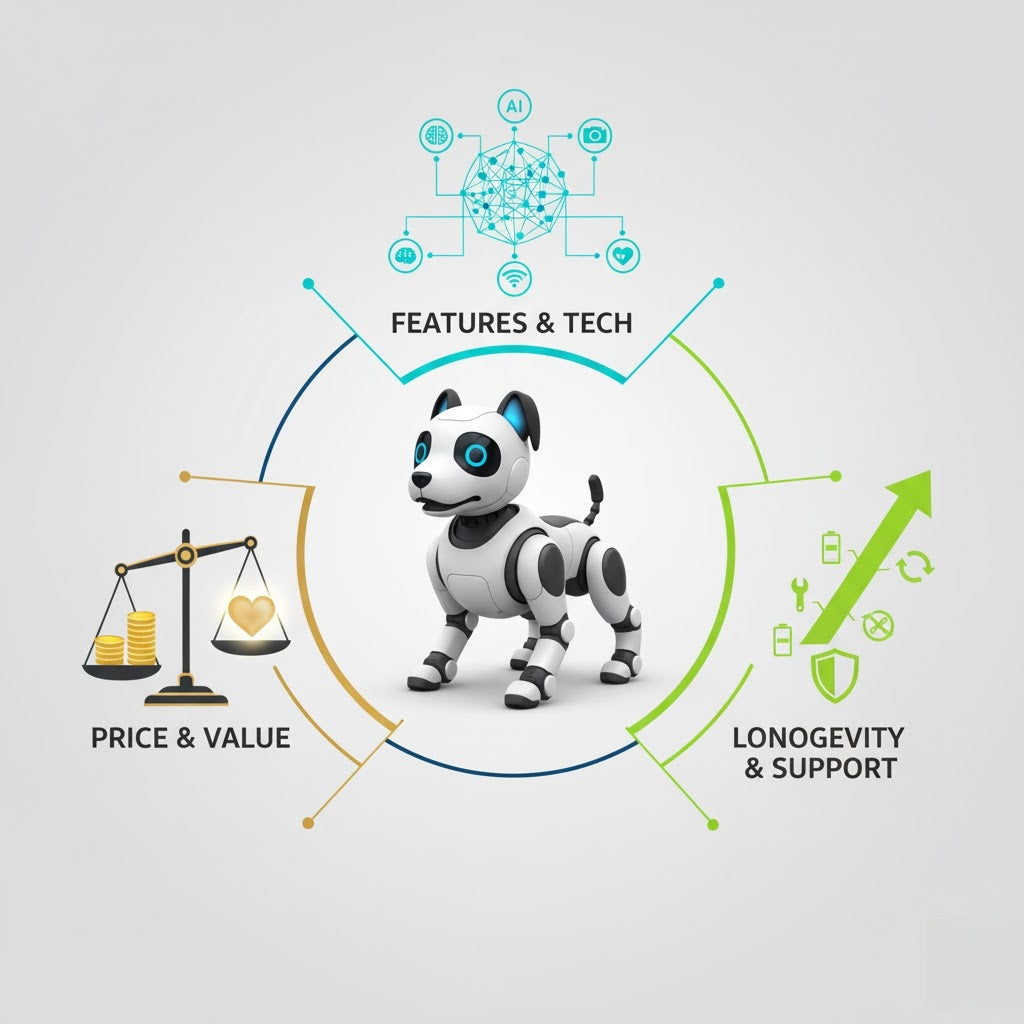
Ultimate Guide to Pet Robot Dogs: Price, Features, and Longevity in 2025
October 23, 2025
TL;DR
In 2025, pet robot dogs range from $80 to over $3,000, but true ownership costs go far beyond the price tag. This Ultimate Guide reveals the essential features to expect, outlines hidden costs, and—most importantly—shows how to determine a robot dog’s long-term value. Want an AI companion that grows with you? Focus on OTA updates, modularity, and active communities. Loona Robot, for instance, shines in this category—and Black Friday deals make it an even smarter investment.
Why You Need the Ultimate Guide to Pet Robot Dogs in 2025
The market for Pet Robot Dogs in 2025 is more advanced—and more confusing—than ever. With AI learning capabilities, smart sensors, and sleek designs becoming the norm, it’s hard to distinguish between a flashy gadget and a true long-term companion.
But here’s the catch: price ≠ value.
Between confusing subscriptions, obscure sensor maintenance, and wildly different lifespans, buyers need a clear, trusted roadmap. This Ultimate Guide promises just that: a reference-grade breakdown of price tiers, essential features, and, most importantly, long-term value so you don’t just buy smart—you buy for the future.
Price Breakdown and the True Cost of Ownership
💰 Price Range Breakdown (2025)
Tier
Price Range
Typical Brands / Examples
Low-End
$80 – $299
TopRace, GpToys, budget knockoffs
Mid-Range
$300 – $999
Loona (entry), Dog-E, Petoi Bittle
High-End
$1,000 – $3,500+
Aibo by Sony, Unitree Go1 Edu, Boston Dynamics Spot Mini (industrial-grade)
Note: Prices can spike seasonally, especially during holiday promotions or when new versions drop.
🧾 Hidden Costs: What the Price Tag Doesn't Tell You
Don’t be fooled—robot dog ownership includes invisible costs that can add hundreds per year.
1. Subscription Fees
Feature
Monthly Cost
Notes
Cloud-based AI Features
$5 – $15
Needed for facial recognition & memory
Premium Behaviors / Skills
$3 – $10
Often sold as tiered content
Remote Video Access
$2 – $7
2-way camera feeds
2. Accessories & Consumables
Battery replacement (after 12–18 months): $30–$120
Sensor recalibration kit: $20–$50
Footpad/joint lubricants (for mobility models): $10–$30/year
3. Shipping & Tariffs
International robot brands like Unitree or Sony may incur:
Shipping: $60–$200
Tariffs: 10–20% in some regions
🔎 Pro Tip: Always check warranty coverage for battery life and international part replacements—it’s a longevity game.
Key Features and the "Must-Haves" of 2025
🚀 Core Feature Matrix
Feature
Why It Matters in 2025
Budget Tier Availability
AI Emotional Learning
Enables bonding, adapts to owner behavior
Mid to High
3D Obstacle Avoidance & Navigation
Prevents damage, enables free roaming indoors
Mid to High
Open Programming / SDK Access
Allows advanced users to expand functionality
Mid to High
2-Way Remote Audio & Video
Security, remote interaction
Mid
Efficient Battery & Fast Charging
Enhances usability (90–120 min playtime is ideal)
All Tiers
Not all $2,000 robots outperform a well-equipped $500 model. Always match features to your use case—not just price.
Longevity Assessment – The True ROI
This is where the smart money is made—or lost. The real ROI of a pet robot dog isn’t in what it does on day one, but what it still does two years later.
A. 📲 Software Lifespan: OTA Updates & Community
Ask these two questions:
How often does the brand push OTA (Over-The-Air) updates?
Is there an active user or developer community?
Robot
OTA Update Frequency
Community Support
Loona
Monthly
Very active (Reddit, Discord, Dev forums)
Aibo
Semi-annual
Strong but closed
Petoi Bittle
Open-source support
Active GitHub dev base
Dog-E
Rare updates
Limited support
Regular OTA updates mean new tricks, bug fixes, and features—without buying a new model.
B. 🦾 Hardware Durability & Modularity
Materials: ABS plastic is standard; magnesium alloy or carbon fiber in high-end models = superior.
Joint Design: Look for rotary encoders and torque feedback motors to reduce long-term wear.
Modular Design: Can you replace legs, sensors, batteries without factory support?
Robot
Modular Parts
Average Lifespan
Loona
Sensors, Wheels, Battery
3–5 years
Aibo
Limited (dealer-only parts)
5+ years (with service)
Unitree Go1
Fully modular
5–7 years
C. 🧠 Continuous AI Growth: Case Study – Loona
Loona Robot exemplifies long-term value:
Learns from daily interactions.
OTA updates add emotions, tricks, and even languages.
Strong SDK and active dev community = endless possibilities.
🛍️ Black Friday Tip: Loona Robot excels in long-term value, with its AI engine continuously learning through OTA updates. If you're looking for a companion that will hold its value for the long term, Black Friday is the perfect opportunity to knock down its initial high price. Keeping an eye out for official Loona discounts or bundles during Black Friday is your best bet for investing in its long-term value.
Final Recommendations and Black Friday Strategy
📋 Robot Dog Recommendation Matrix (2025)
Category
Top Pick
Why
Best Long-Term Value
Loona Robot
OTA updates, emotional AI, SDK
Best Budget-Friendly
Dog-E
Fun features, under $300
Best Interactive Features
Aibo
Lifelike behavior, sound, and touch
🛒 Black Friday Shopping Strategy
Watch for Bundles: Accessories + longer warranties = +1–2 years of value.
Subscription Discounts: Some brands offer lifetime access during Black Friday.
Refurbished Models: Certified refurb units of Aibo or Loona can save 30%+ with warranty.
The Smarter Path to Your Ideal Pet Robot Dog
Buying a Pet Robot Dog in 2025 isn’t just about flashy demos—it’s about choosing the companion that will continue to learn, engage, and serve you well into the future.
From decoding the real cost of ownership to evaluating core features and long-term durability, this Ultimate Guide gives you the clearest path to smart buying.
✅ Don’t buy blindly. Use this guide to match your needs with the right robot—and time your purchase around Black Friday to offset both initial costs and future expenses. The best value isn’t just cheaper—it lasts longer.